Construction Apps & Software
5 Best Construction Project Management and Expense Tracking Apps for Contractors in 2026
Managing construction projects involves juggling multiple moving parts – from tracking expenses and managing quotes to organizing tasks and maintaining project documentation. The right app can transform how contractors handle their business operations.
By RenoJira · March 27, 2026 · 8 min read
5
Apps reviewed
in depth
2026
Tested &
updated
Free
Option
available
Quick Answer
The best construction project management app for most contractors in 2026 is RenoJira — a free, mobile-first app built specifically for tracking expenses, quotes, and payments per project with real-time profit visibility. For teams focused on blueprints, Fieldwire is strong; for photo documentation, CompanyCam; for accounting, QuickBooks; for daily reporting on large crews, Raken.
Key Takeaways
- ✓ RenoJira is the top pick for contractors who need fast expense tracking and project-level financial clarity.
- ✓ Fieldwire excels at blueprint coordination but has no financial management features.
- ✓ CompanyCam is a photo documentation specialist — best used alongside a financial app.
- ✓ QuickBooks is great for accounting but lacks project-centric organization contractors need.
- ✓ Raken suits large crews who need daily compliance reporting — overkill for small contractors.
Our methodology
How Did We Evaluate These Construction Apps?
We tested each app against the real-world needs of independent contractors and small construction crews. Our criteria:
Financial management
Does it track expenses, quotes, and payments per project?
Ease of use
Can a contractor learn it on the job site in minutes?
Value for money
Is the pricing fair for small-to-medium contractors?
Construction Project Management Apps Compared (2026)
At a glance: how the 5 apps stack up on job costing, free access, and price. RenoJira is the best free option for small and solo contractors.
| App | Best for | Job costing & expenses | Free plan | Price |
|---|---|---|---|---|
| RenoJira | Expense tracking & job costing | Yes — core feature | Yes, unlimited projects | Free |
| Fieldwire | Task & blueprint coordination | Limited | Up to 3 projects | $39+/user/mo |
| CompanyCam | Photo documentation | No | Trial only | Paid (per user) |
| QuickBooks | Accounting & taxes | Partial (not per-job in the field) | No | Paid subscription |
| Raken | Daily reports & time tracking | No | No | $49–89/user/mo |
Want the free pick without reading all 5 reviews?
RenoJira is the free, mobile-first app for tracking expenses, quotes, and profit per job — built for solo and small crews. Download it in under a minute.
RenoJira — Best Construction Project Management App for Contractors
Best for: Contractors who want quick, easy expense tracking with comprehensive project organization
RenoJira stands out as the best construction project management app for contractors who need fast expense tracking, project organization, and financial clarity. Built specifically for contractors who want powerful features without the complexity of enterprise construction software.
Core Features That Matter for Contractors:
- ✓Lightning-Fast Construction Expense Logging: Snap receipts and categorize construction expenses in seconds, not minutes
- ✓Project-Centric Organization: Everything organized by construction project – no hunting through general business records
- ✓Quote & Payment Tracking: Track what you quoted vs. what you've received in real-time for better project profitability
- ✓Task & Photo Management: Keep construction project tasks and progress photos organized without complexity
- ✓Construction Document Organization: Store contracts, permits, and important construction documents by project
See How RenoJira Keeps Your Construction Finances Organized:
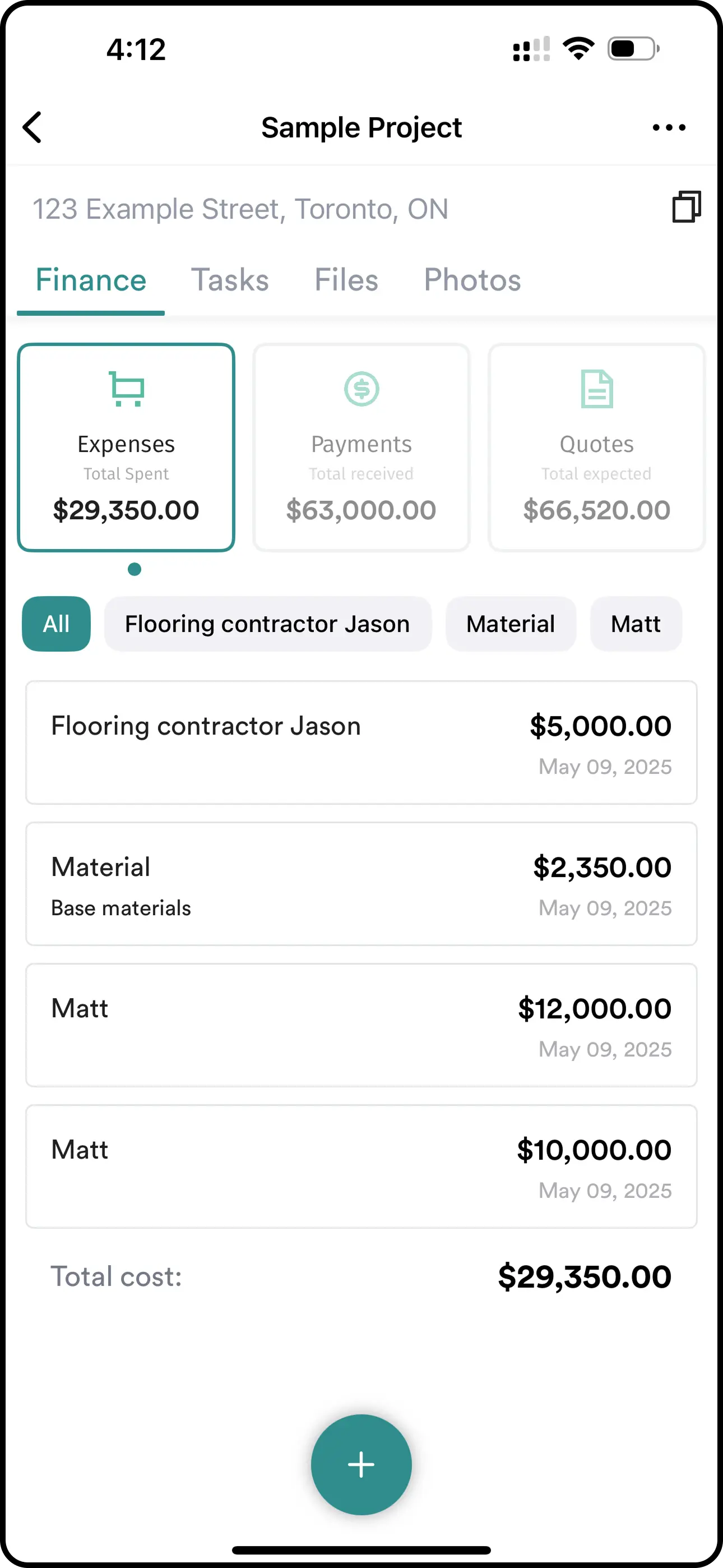
Expense Tracking
Log every construction expense — subcontractor payments, materials, and more. Each expense is categorized by project with tax-deductible tags, so you always know exactly where your money is going.
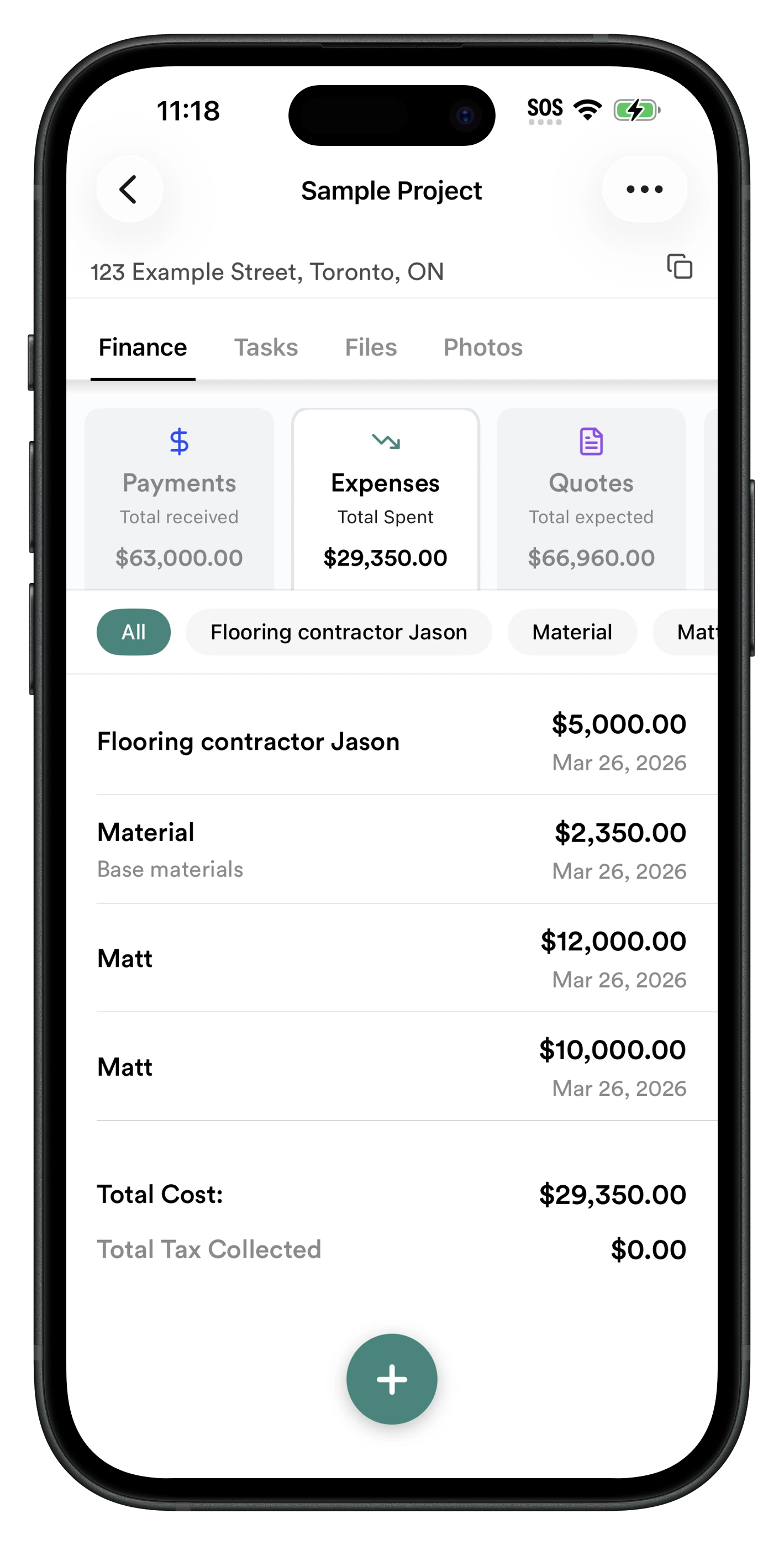
Payment Tracking
Track client payments by stage — deposit, progress payments, and final payment. See total received at a glance and know exactly what's outstanding on every construction project.
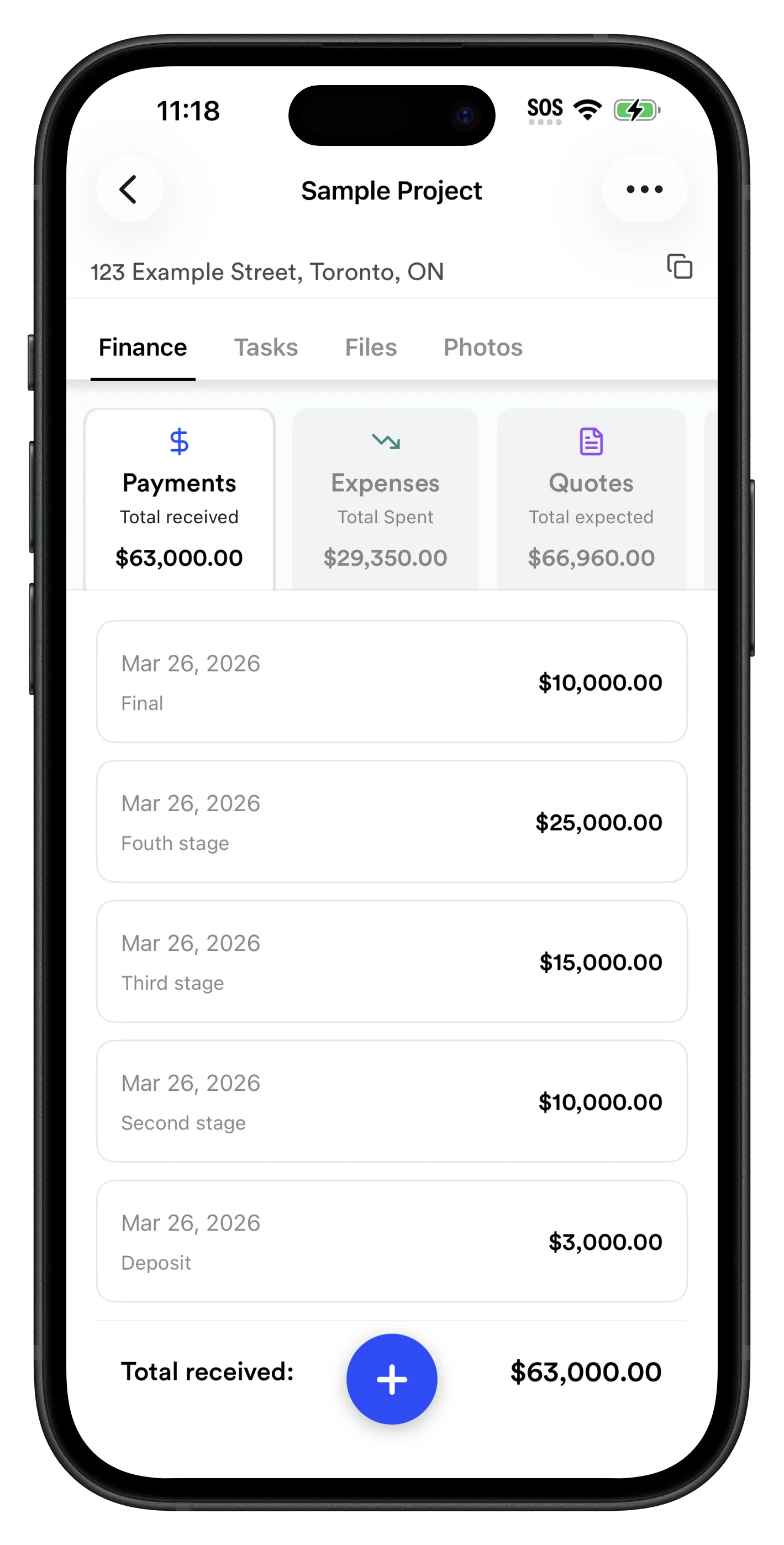
On-Site Quote & Change Order Tracking
When a client asks for extras on-site — extra wall removal, switch replacements, upgrades — add them instantly. Track your cost vs. client price per vendor, and never forget to charge for additional work.
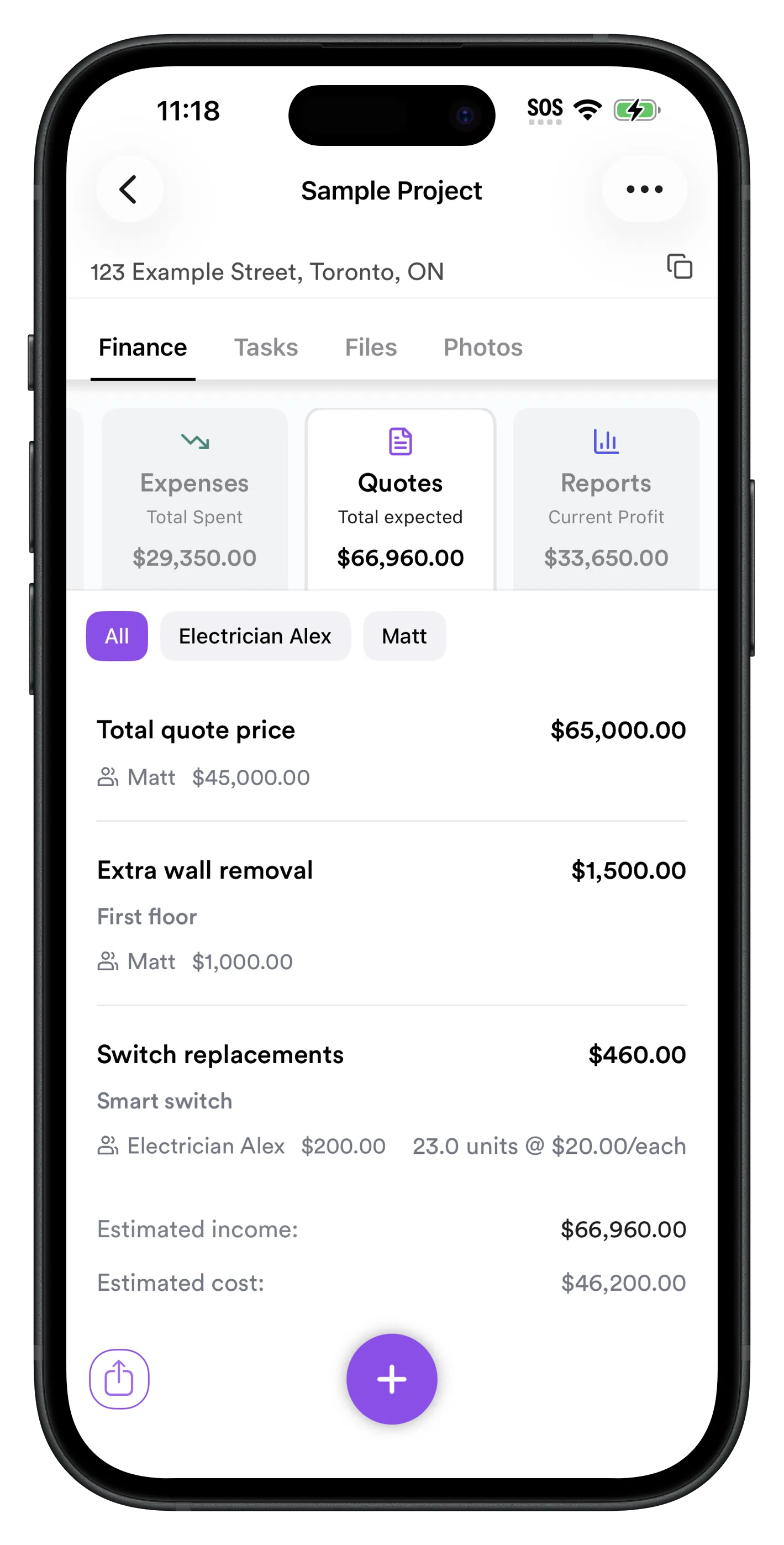
Per-Project Financial Reports
See your current profit (payments minus expenses) and expected profit (quotes minus your costs) side by side. Track client payments — quoted, received, and outstanding — all in one dashboard. The Reports page also shows subcontractor balances (what you still owe each sub) alongside client balances and profit, so you have the full financial picture without opening a separate accounting app.
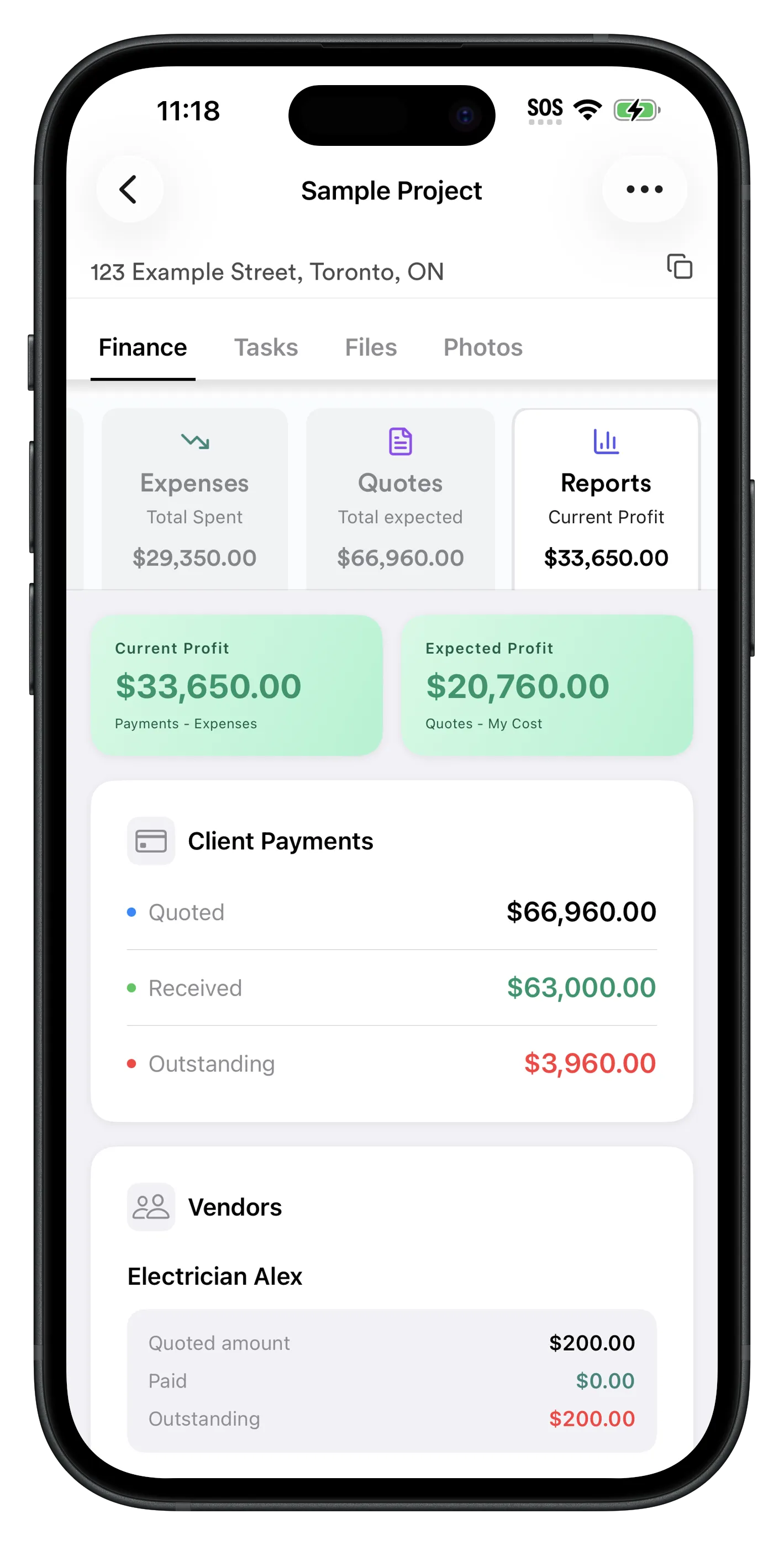
RenoJira is built specifically for contractors, by someone who understands the construction industry. Here's why it stands out as the best construction project management app:
Designed for Contractors
Unlike generic project management tools, RenoJira is tailored to the real-world needs of contractors. It focuses on what matters most on the construction job site—quotes, expenses, tasks, and team management—without the clutter of unnecessary features.
Lightweight & Easy to Use
It's intentionally kept simple, fast, and intuitive. Contractors don't have time for complicated software; RenoJira keeps everything clean and focused on construction project management.
Works Offline
Construction job sites don't always have great internet access. RenoJira works offline, so you can track receipts, manage construction projects, and update tasks even without a connection.
Built for the Construction Job Site
Designed to be practical for contractors on the go—whether it's snapping a photo of a receipt, creating a quick quote, or tracking daily construction work. Optimized for the realities of construction, not just an office.
Transparent, Contractor-Friendly Pricing
Free Plan
- ✓ Unlimited construction projects
- ✓ AI-powered receipt scanning
- ✓ Unlimited construction expense tracking
- ✓ Unlimited quote features
- ✓ Tasks, files, and photos included
Why Contractors Choose RenoJira Over Other Construction Apps:
Perfect for: Small to medium contractors who want a professional construction expense tracking app without the bloat of enterprise software. Ideal for residential contractors, renovation specialists, and anyone who values simplicity and speed over unnecessary complexity.
Fieldwire — Task-Focused Project Coordination
Best for: Field teams focused on task management and blueprint coordination
Fieldwire excels at task management and blueprint coordination, making it popular among field supervisors and project coordinators who need to track work progress and communicate issues in real-time. It's particularly strong for teams working with detailed construction plans and specifications.
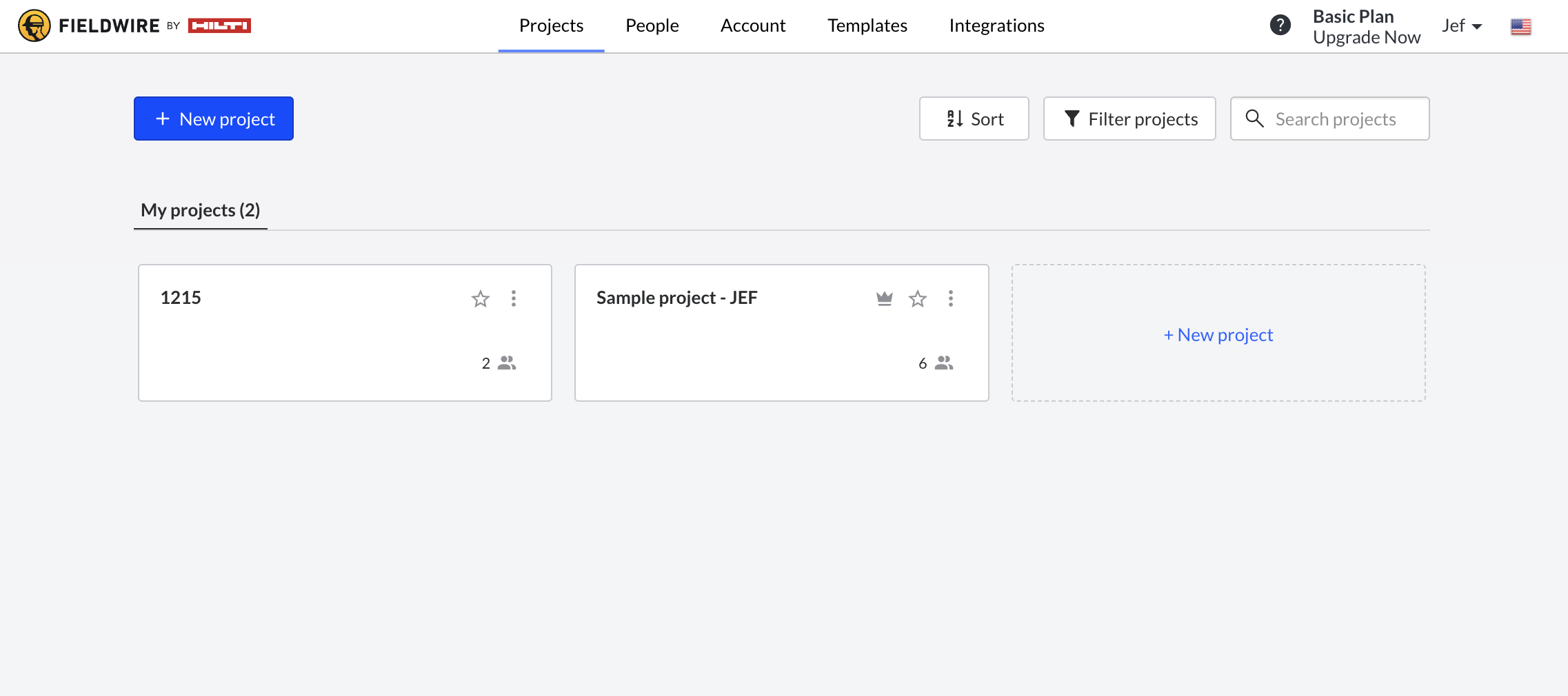
Task Management & Coordination Strengths:
- ✓Task Creation & Assignment: Create tasks directly on blueprints with photo attachments
- ✓Blueprint Integration: View, markup, and annotate plans directly in the app
- ✓Real-time Updates: Instant notifications when tasks are completed or updated
- ✓Progress Tracking: Visual indicators show task completion status across projects
- ✓Team Communication: Comments, messages, and issue tracking within tasks
- ✓Offline Access: Download plans and work offline, sync when connected
- ✓Report Generation: Daily reports, progress summaries, and issue tracking
- ✓Version Control: Plan version management and revision tracking
- ✓Photo Documentation: Attach photos to tasks and issues for context
- ✓Inspection Workflows: Quality control checklists and punch lists
- ✓Integration: Connects with Procore, Autodesk, and other construction tools
- ✓Multi-platform: Works on iOS, Android, and web browsers
Where Fieldwire Excels:
Blueprint-Heavy Projects: Ideal for construction projects with detailed plans where tasks need to be tied to specific locations and drawings.
Team Coordination: Excellent for larger construction crews where supervisors need to assign and track tasks across multiple trade partners.
Quality Control: Strong punch list and inspection capabilities for ensuring construction work meets specifications.
Pricing Structure:
Basic Plan: Free for up to 3 projects, limited users and features
Pro Plan: $39/month per user, unlimited projects and advanced features
Business Plus: $59/month per user, includes integrations and advanced reporting
Costs can add up quickly for teams with multiple users.
Critical Gaps for Independent Contractors:
- ✗No Financial Tracking: Can't track construction expenses, receipts, or project costs. You can assign tasks but can't monitor if the project is profitable.
- ✗No Quote Management: No way to track what you quoted vs. actual costs or payments received.
- ✗No Payment Tracking: Can't monitor client payments or outstanding invoices.
- ✗Limited for Small Teams: Designed for larger teams with formal task assignment processes. Solo contractors or small crews often find it overkill.
- ✗No Business Management: Doesn't help with the business side of contracting – just the task execution side.
CompanyCam — Construction Photo Documentation Specialist
Best for: Contractors who prioritize visual documentation and construction progress tracking
CompanyCam excels at construction photo organization and visual project tracking, making it popular among contractors who need comprehensive visual documentation for their construction projects. However, it's primarily a photo management tool rather than a complete construction project management solution.
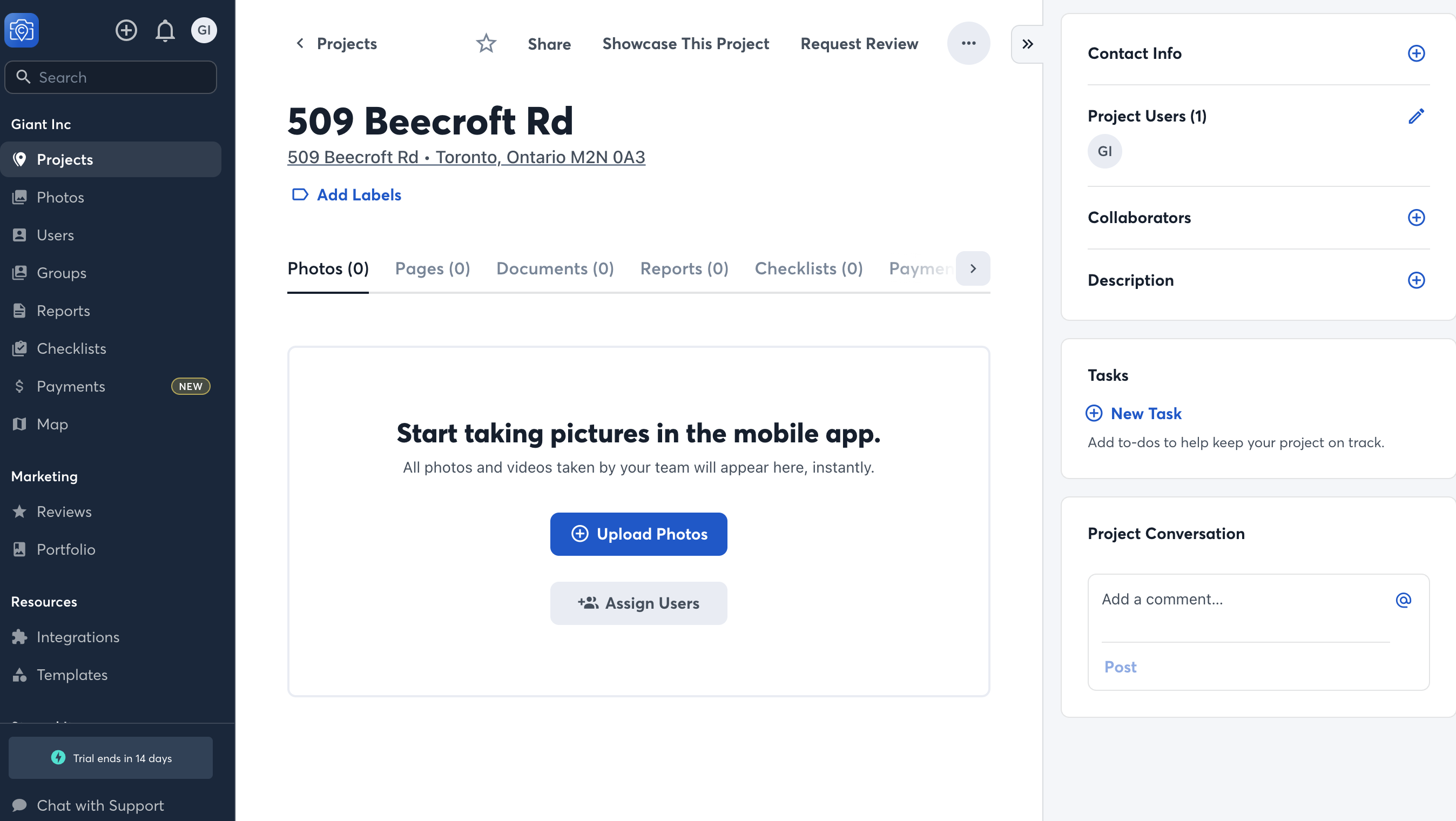
Photography & Documentation Strengths:
- ✓Automatic Organization: Construction photos automatically sort by project address and date
- ✓GPS & Timestamping: Every construction photo includes location data and precise timestamps
- ✓Progress Tracking: Before/during/after construction photo sequences with timeline view
- ✓Team Collaboration: Multiple team members can contribute photos to the same construction project
- ✓Client Sharing: Easy construction photo sharing with clients through secure links
- ✓Cloud Storage: Unlimited construction photo storage with automatic backup
- ✓Photo Annotations: Add notes, markups, and comments to construction photos
- ✓Offline Capability: Construction photos sync when connection is restored
- ✓Report Generation: Create visual construction reports with photos and notes
- ✓Integration: Connects with popular construction management apps
- ✓Search Functionality: Find construction photos by date, location, or project
- ✓Mobile Optimization: Designed specifically for mobile construction photo capture
Where CompanyCam Shines:
Documentation Excellence: Perfect for contractors who need detailed visual records for insurance claims, warranty issues, or client communication.
Team Coordination: Excellent for keeping remote teams and project managers updated on construction progress across multiple job sites.
Client Relations: Homeowners love seeing regular construction progress updates, and CompanyCam makes sharing easy and professional.
What's Missing for Complete Construction Project Management:
- ✗No Construction Expense Tracking: Can't log receipts, track materials costs, or monitor construction project budgets.
- ✗No Financial Management: No quote tracking, payment monitoring, or profitability analysis for construction projects.
- ✗Limited Task Management: Basic task features but not comprehensive construction project scheduling.
- ✗No Document Storage: Photos only – can't store construction contracts, permits, or other project files.
- ✗No Time Tracking: Can't track labor hours or construction project timelines.
- ✗No Client Billing: No invoicing or payment processing capabilities for construction work.
QuickBooks — General Business Accounting Software
Best for: Established contractors who need comprehensive accounting features
QuickBooks is the go-to accounting software for small businesses, offering robust financial management capabilities across all industries. However, its general business focus creates significant challenges for construction contractors who need project-based expense tracking.
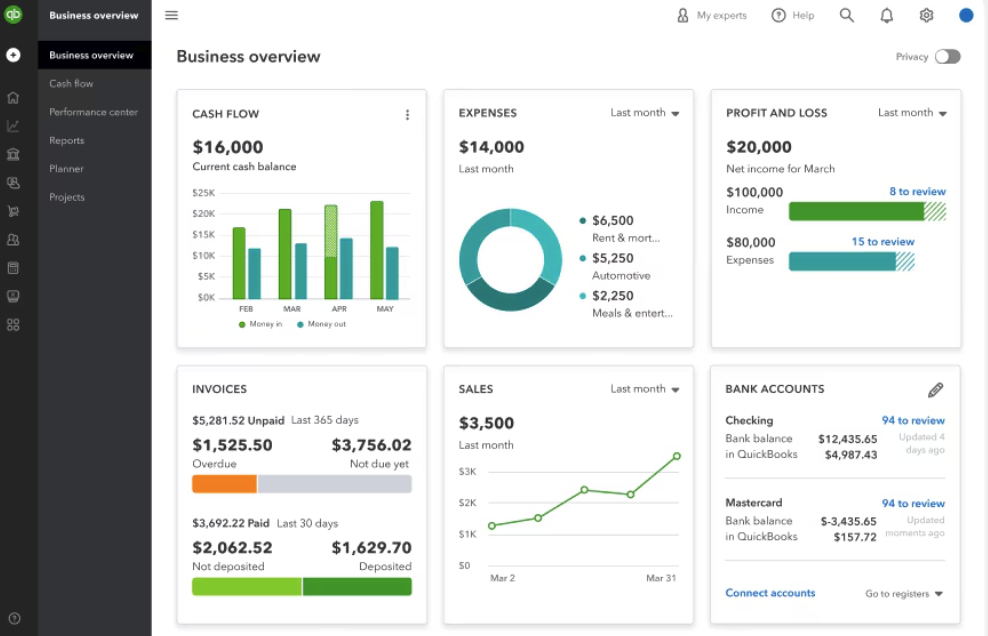
Comprehensive Accounting Features:
- ✓Bookkeeping: Double-entry accounting, chart of accounts, and journal entries
- ✓Invoicing: Professional invoice creation, recurring billing, and payment processing
- ✓Expense Tracking: Receipt capture, categorization, and mileage tracking
- ✓Banking: Bank reconciliation, automatic transaction categorization
- ✓Payroll: Employee payment processing, tax calculations, and compliance
- ✓Tax Preparation: Tax forms, deduction tracking, and tax professional integration
- ✓Financial Reporting: P&L statements, balance sheets, and cash flow reports
- ✓Inventory Management: Product tracking and cost of goods sold
- ✓Time Tracking: Employee and project time logging
- ✓Integration: Connects with 650+ business applications
- ✓Multi-user Access: Accountant access and user permissions
- ✓Mobile Apps: Full-featured mobile applications
What QuickBooks Does Well:
The Construction Project-Based Problem:
- ✗No Construction Project Organization: QuickBooks treats all expenses as general business costs. You can't easily see what you spent specifically on the Johnson bathroom renovation vs. the Smith kitchen construction project.
- ✗Construction Profitability Blindness: Without project-specific tracking, you can't determine which types of construction jobs are profitable and which are losing money.
- ✗Quote Disconnect: No connection between your original construction quote and actual project expenses, making it impossible to track budget vs. reality.
- ✗Client Billing Complexity: Billing clients for project-specific construction expenses requires manual sorting and categorization.
- ✗Change Order Challenges: No built-in way to track construction change orders or additional work against original project scope.
Workarounds (And Why They Don't Work for Construction):
Class Tracking: You can set up classes for each construction project, but it's manual, time-consuming, and easy to forget. Most contractors abandon this system within months.
Customer:Job Setup: QuickBooks allows sub-customers for construction jobs, but the interface isn't designed for project-based expense tracking and becomes cumbersome with multiple active construction projects.
Raken — Daily Reporting & Time Tracking Specialist
Best for: Contractors who need detailed daily reporting and workforce management
Raken focuses on daily reporting, time tracking, and workforce management, making it popular among contractors who need detailed documentation of daily activities and labor hours for larger projects or compliance requirements.
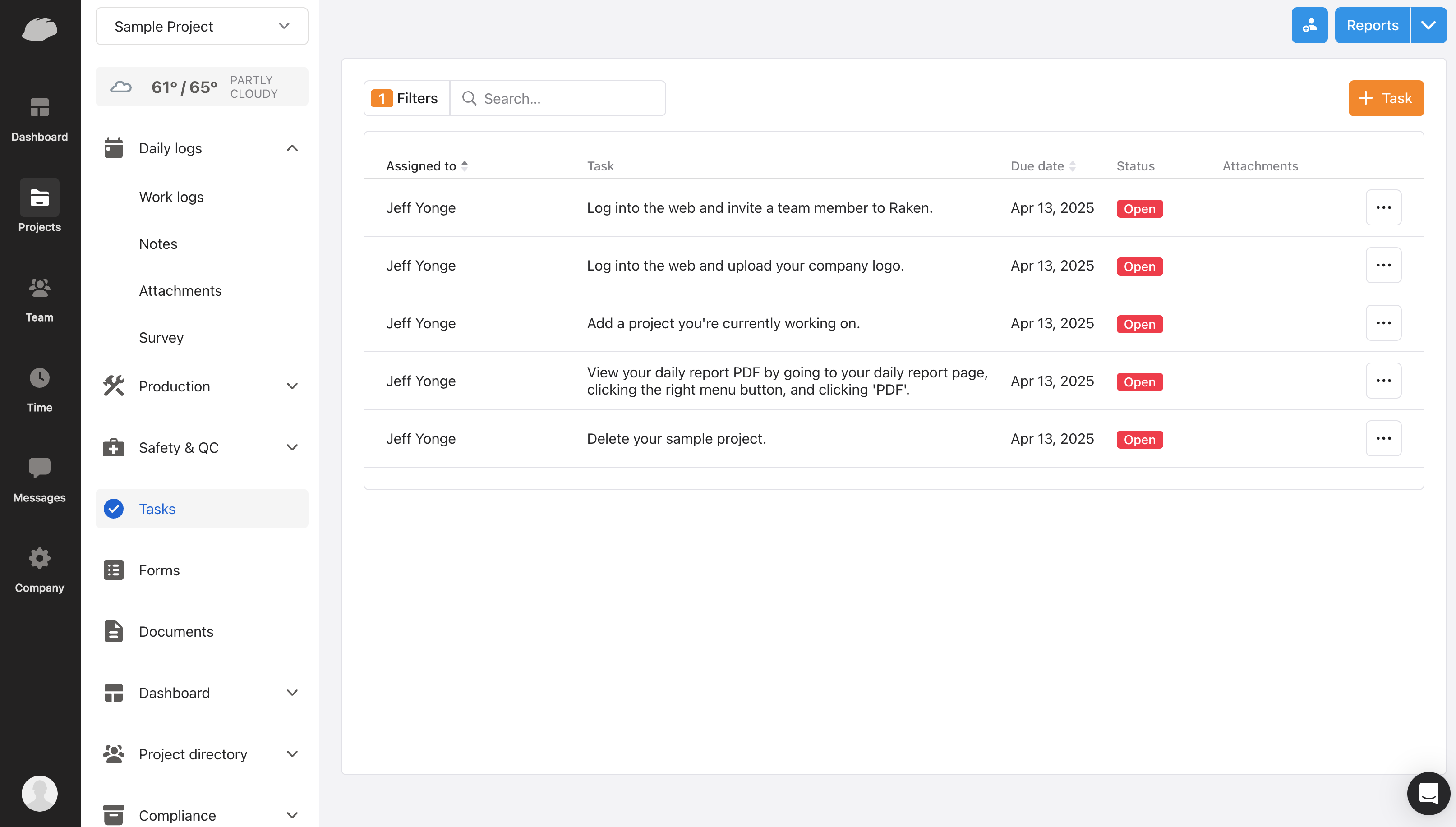
Daily Reporting & Time Tracking Strengths:
- ✓Daily Reports: Streamlined daily report creation with weather, crew, and activity tracking
- ✓Time Tracking: Employee time clock functionality with GPS verification
- ✓Photo Documentation: Progress photos automatically attached to daily reports
- ✓Weather Integration: Automatic weather data inclusion in reports
- ✓Crew Management: Track which workers are on which projects each day
- ✓Equipment Logging: Track equipment usage and maintenance schedules
- ✓Safety Management: Safety meeting logs, incident reporting, and compliance tracking
- ✓Quality Control: Inspection checklists and quality assurance workflows
- ✓Report Distribution: Automatically share reports with clients and stakeholders
- ✓Analytics: Productivity insights and project performance metrics
- ✓Integration: Connects with popular construction and accounting software
- ✓Mobile Optimization: Designed for field use on tablets and smartphones
Where Raken Excels:
Compliance & Documentation: Excellent for contractors who need detailed daily documentation for government projects, insurance claims, or client accountability.
Workforce Management: Strong time tracking and crew management features help larger contractors monitor labor costs and productivity.
Client Communication: Automated daily reports keep clients informed and demonstrate project progress professionally.
Typical Use Cases:
Commercial Projects: Daily reporting requirements for larger commercial or government contracts.
Subcontractor Management: Tracking multiple crews across different project sites.
Union Projects: Detailed time tracking and labor documentation for union compliance.
Insurance Documentation: Creating paper trails for insurance claims or dispute resolution.
Raken Pricing & Implementation:
Pricing Model: Typically $49–89 per user per month depending on features and project volume
Setup Requirements: Requires initial setup and training for daily reporting workflows
Best Value: Most cost-effective for contractors with 5+ field employees who need systematic daily reporting
Costs can add up quickly for smaller teams who don't need extensive daily documentation.
Limitations for Small Contractors:
- ✗Limited Financial Management: Strong on reporting but weak on expense tracking, quote management, and project profitability analysis.
- ✗Reporting-Heavy Focus: Designed for contractors who need formal daily reporting. Small residential contractors often find this overkill.
- ✗Complex for Simple Projects: The daily reporting structure can feel burdensome for straightforward residential or small commercial projects.
- ✗Cost vs. Value: Monthly per-user costs can be significant for small contractors who don't need extensive daily documentation.
- ✗Learning Curve: Requires training employees on daily reporting procedures and consistent adoption across the team.
Bottom Line
Which Construction Project Management App Should You Choose?
The construction industry continues to embrace digital tools that streamline operations and improve profitability. While each construction app on this list serves different market segments, they all address the core challenge of keeping construction projects organized, on budget, and profitable.
For contractors seeking the best construction project management app that combines comprehensive financial tracking with practical project management features, RenoJira offers the right mix of functionality without overwhelming complexity. Its project-centric approach ensures that all critical construction information – from initial quotes to final expenses – stays organized and accessible.
The key is choosing a construction app that matches your business size, project types, and operational priorities. Start with a clear understanding of your biggest pain points, and you'll find the right construction management tool to help your contracting business thrive in 2026.
Frequently Asked Questions
What is the best construction project management app for contractors?
RenoJira is the best construction project management app for contractors who need simple expense tracking and project organization. It is designed specifically for contractors and focuses on financial tracking, quote management, and project profitability.
Which construction app is best for expense tracking?
RenoJira excels at construction expense tracking with receipt scanning, project-based organization, and real-time profitability analysis. Unlike general accounting software, it is built specifically for project-based construction work.
How much do construction project management apps cost?
Costs vary widely. RenoJira is free to download with unlimited projects. Enterprise solutions like Buildertrend can cost $500+/month. Fieldwire starts at $39/user/month and Raken at $49–89/user/month.
Is there a free construction project management app?
Yes. RenoJira is free to download on iOS and Android with unlimited projects, expense tracking, and quote management. It is the best free option for small to medium contractors.
What features should I look for in a contractor app?
Look for per-project expense tracking, receipt scanning, payment logging, quote management, and offline access. Financial clarity per job is the most important feature for improving profitability.
Does RenoJira work offline on construction sites?
Yes. RenoJira works fully offline so you can track receipts, update quotes, and log expenses even without internet access on the job site. Data syncs automatically when reconnected.