Send a clock-in link (no app needed)
Text anyone on the job a link they open in any browser to clock in and out.
A clock-in link is the fastest way to track attendance for an employee or sub — they don't install anything or make an account.
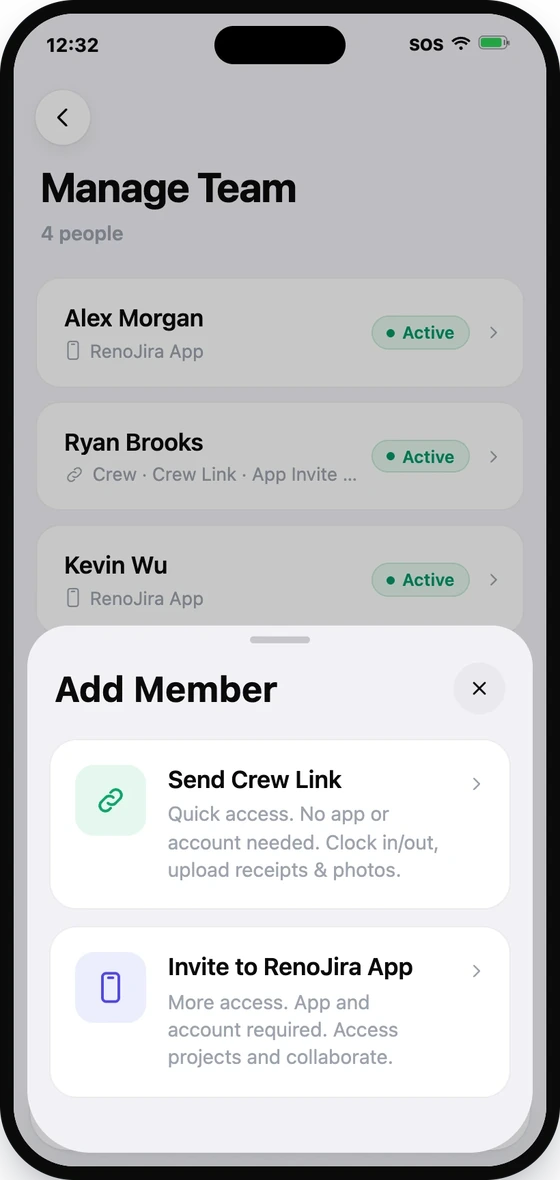
- 1Open Team → Manage Team, then tap Add Member.
- 2Choose Send Crew Link.
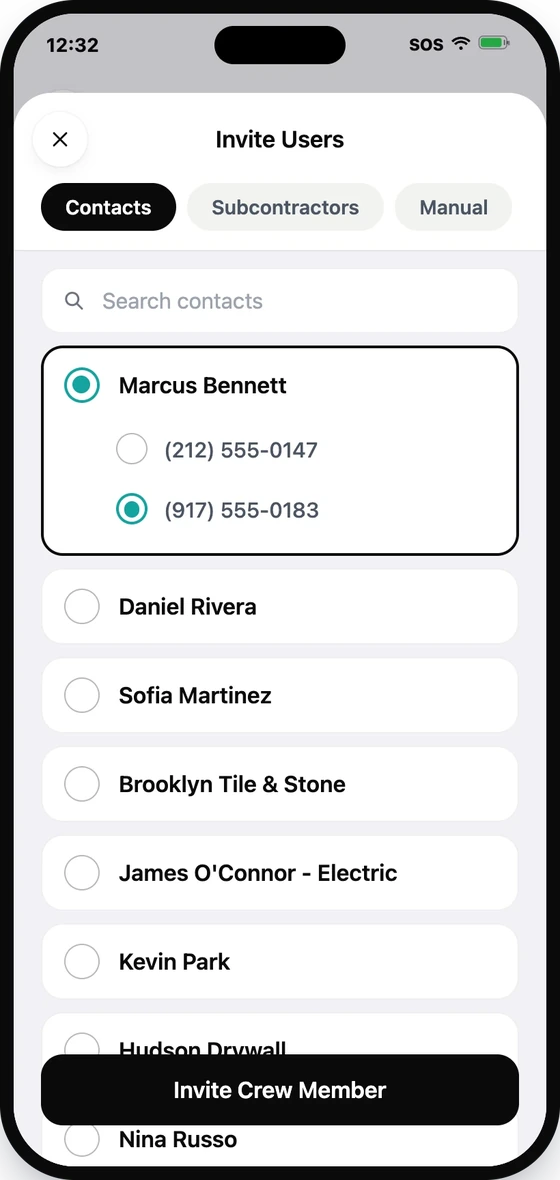
- 3Pick the person from Contacts or Subcontractors, or add them manually.
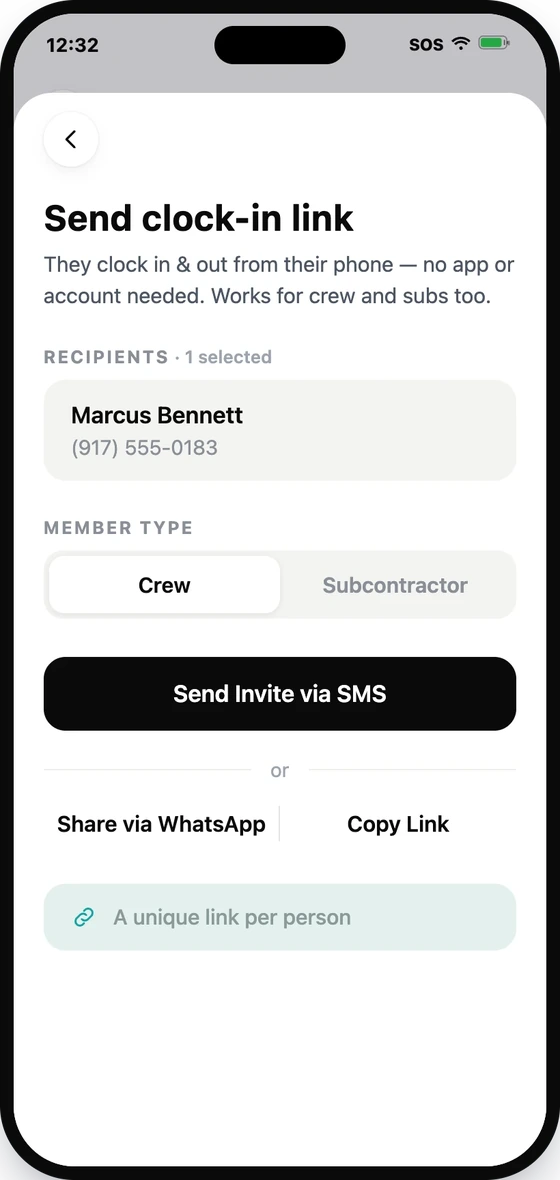
- 4Choose whether they are Crew or a Subcontractor.
- 5Send the link by SMS or WhatsApp, or copy it to share yourself.
Each person gets their own unique link. They open it in any phone browser — no app or account needed — it works in their phone's language and queues clock-ins when there's no signal.