Add someone to your team
Add a crew member using a simple Crew Link, or invite them to use the RenoJira app for more access.
Add a member
- 1Open Team → Manage Team.
- 2Tap Add Member.
- 3Choose how you want to add them.
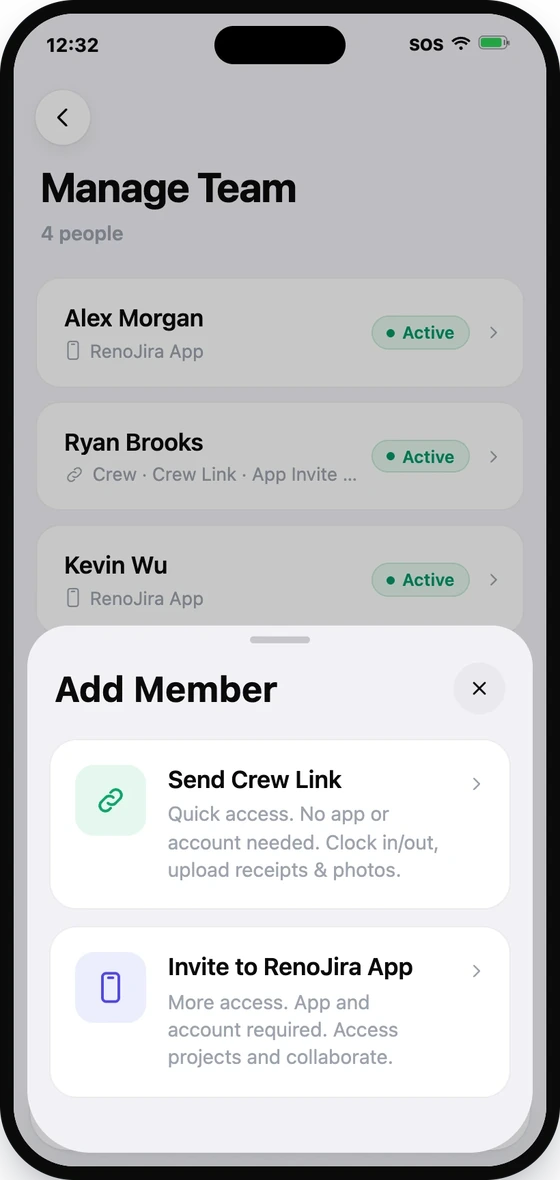
Send Crew Link
Choose this for quick access without requiring the RenoJira app or an account.
Crew Link members can:
- Clock In / Out
- Upload receipts
- Upload photos
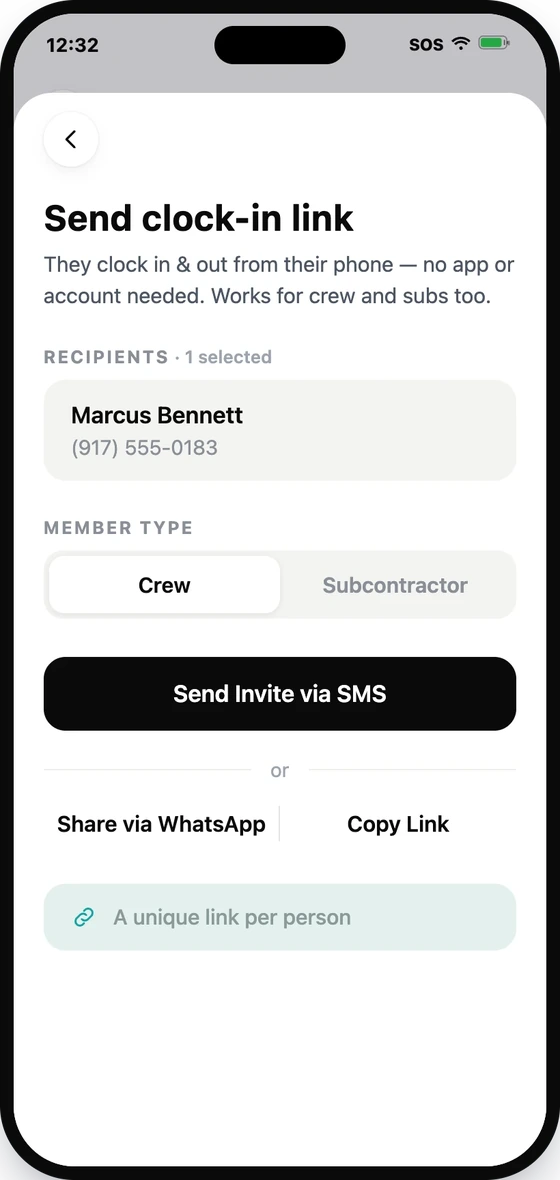
After choosing Send Crew Link:
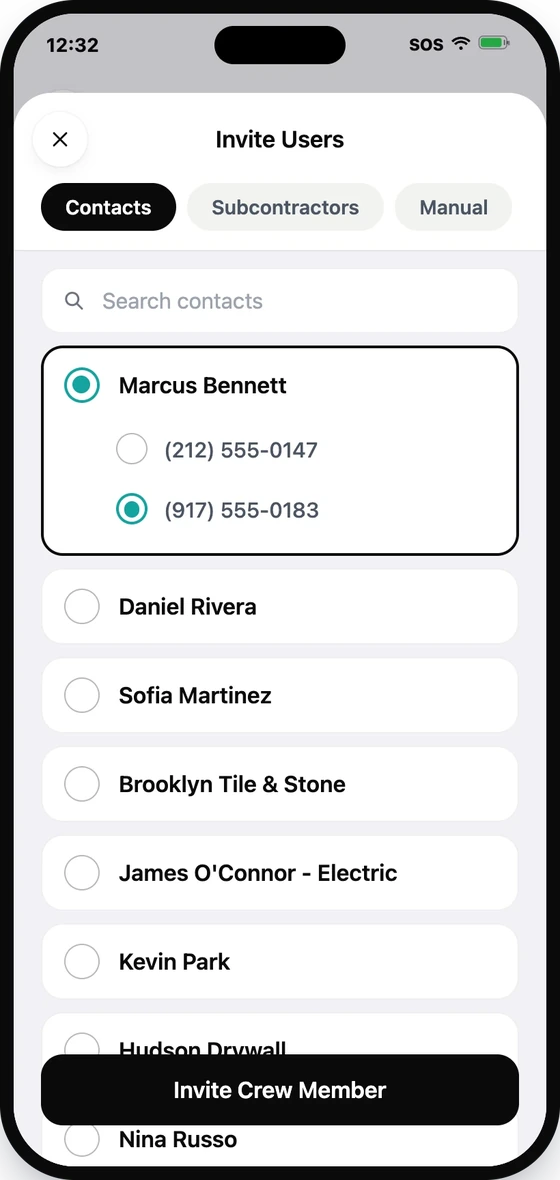
- 1Select the person from Contacts or Subcontractors, or add them manually.
- 2Choose whether they are Crew or a Subcontractor.
- 3Send the link by SMS, WhatsApp, or copy the link to share it yourself.
Each person receives their own unique Crew Link.
Invite to RenoJira App
Choose this when the person needs to use RenoJira directly.
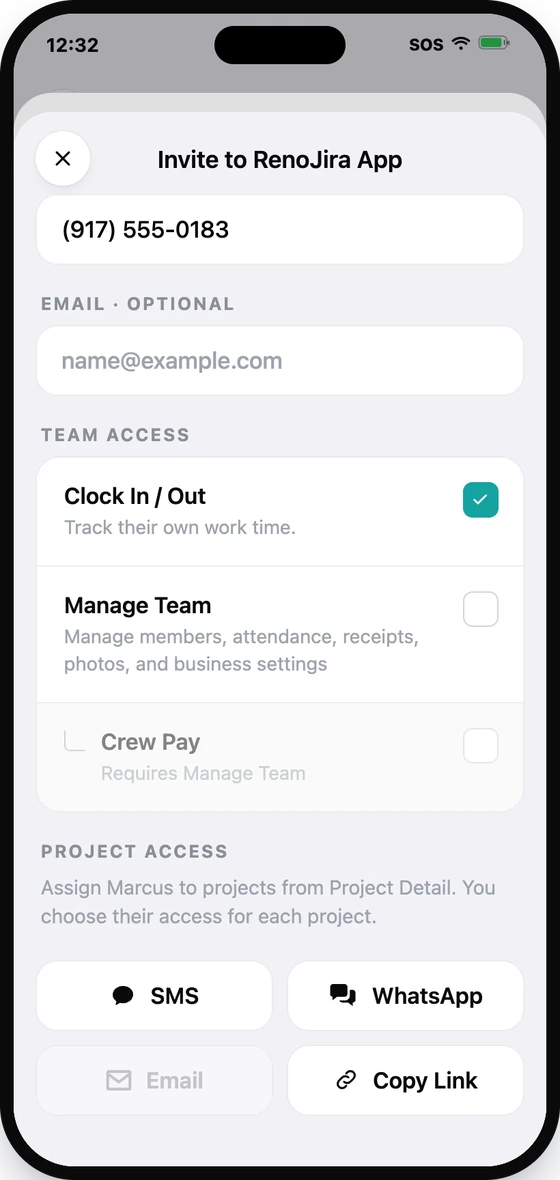
After choosing Invite to RenoJira App:
- 1Select the person from Contacts or Subcontractors, or add them manually.
- 2Confirm their name and phone number. You can also add an email address.
- 3Choose their Team Access — Clock In / Out, Manage Team, or Crew Pay.
- 4Send the invitation by SMS, WhatsApp, email, or copy the invitation link.
Once they accept, they'll appear in Manage Team as a RenoJira App member.
Team Access
When inviting someone to the RenoJira app, you can choose what they can do at the account level:
| Team Access | What it allows |
|---|---|
| Clock In / Out | Track their own work time. |
| Manage Team | Add, edit, and remove team members and manage their Team Access. |
| Crew Pay | View and manage Crew Pay. Requires Manage Team. |
What about projects?
Adding someone from Manage Team does not automatically give them access to a project.
Project Access is assigned separately from Project Detail → Project Access.
Only RenoJira App members can receive Project Access. Crew Link members cannot be assigned project roles.
Crew Link or RenoJira App?
| Need | Crew Link | RenoJira App |
|---|---|---|
| No app / account required | — | |
| Clock In / Out | ||
| Upload receipts & photos through quick link | — | |
| Manage Team | — | |
| Crew Pay | — | |
| Project Access | — |
Use Crew Link for simple field access.
Use RenoJira App when the person needs more access or needs to collaborate inside projects.