Quote the job before you leave the driveway.
Describe the work the way you'd brief your crew. RenoJira drafts a priced quote in seconds, you fix what needs fixing, and the client signs it on their phone. Then turn it into an invoice or a job without typing it twice.


Free on iOS, Android & web · No credit card
Quick answer
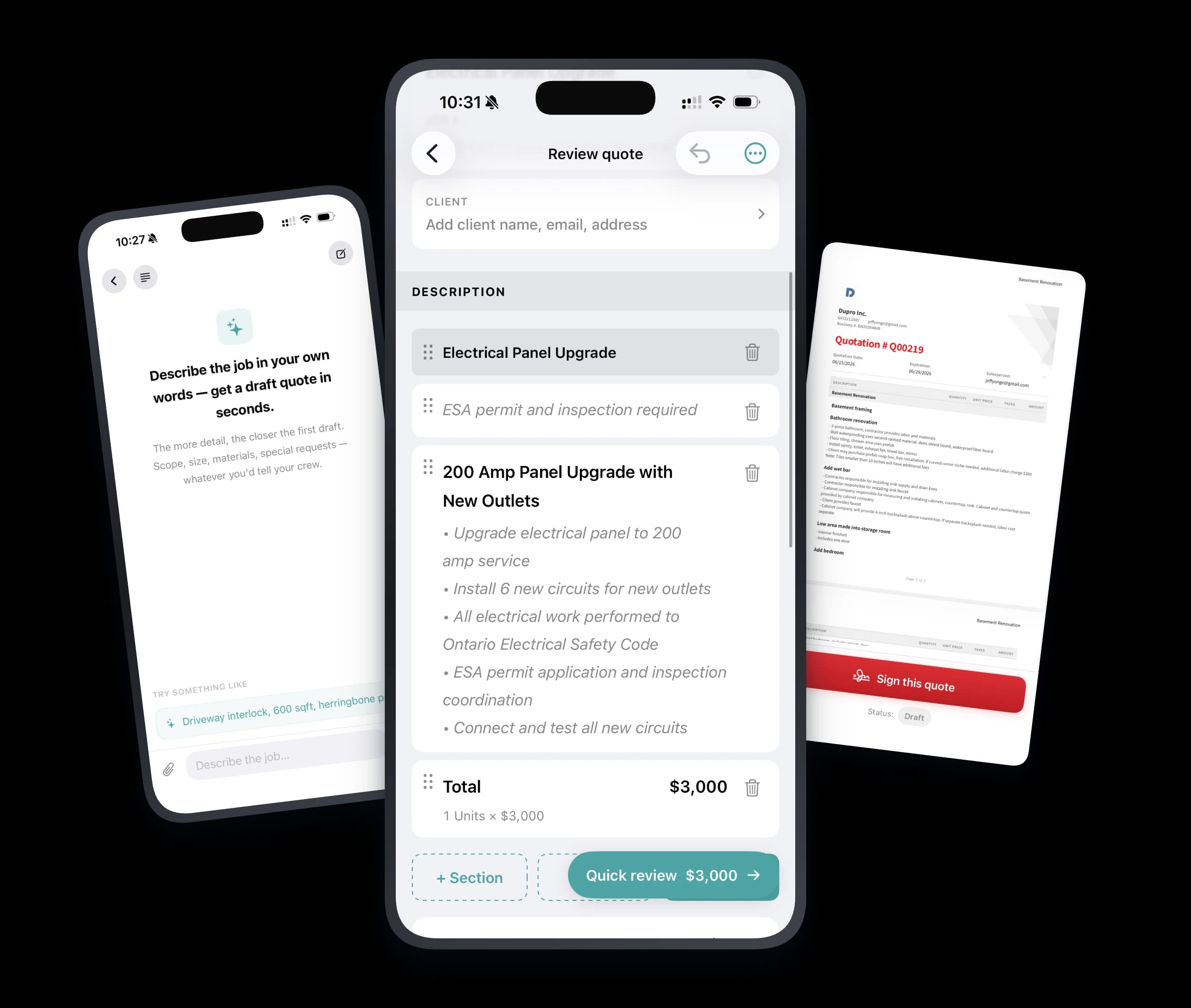
RenoJira is a free estimate and quote app for contractors on iPhone, Android and the web. Describe the job (by text, or by voice and photos in the mobile app) and it drafts a priced quote with sections and line items. Edit it, send a PDF with your logo, and get it signed by link or in person. The client doesn't need an account. Once it's signed, turn it into an invoice or a job.
Talk through the job. Get a first draft.
Type it, say it, or snap a few photos: "Basement bathroom, 3-piece, tile shower, new vanity." RenoJira writes the sections, line items and prices so you're editing, not starting from a blank page.
- Describe the job by text, or by voice and photos on iPhone and Android
- Drafts sections, line items and prices, and asks quick questions when it needs to
- Uses your own prices first: your last quote, your saved pricing, what you tell it
- Learns how you like quotes laid out, and stops asking what you always answer the same
A clean PDF they can sign on their phone.
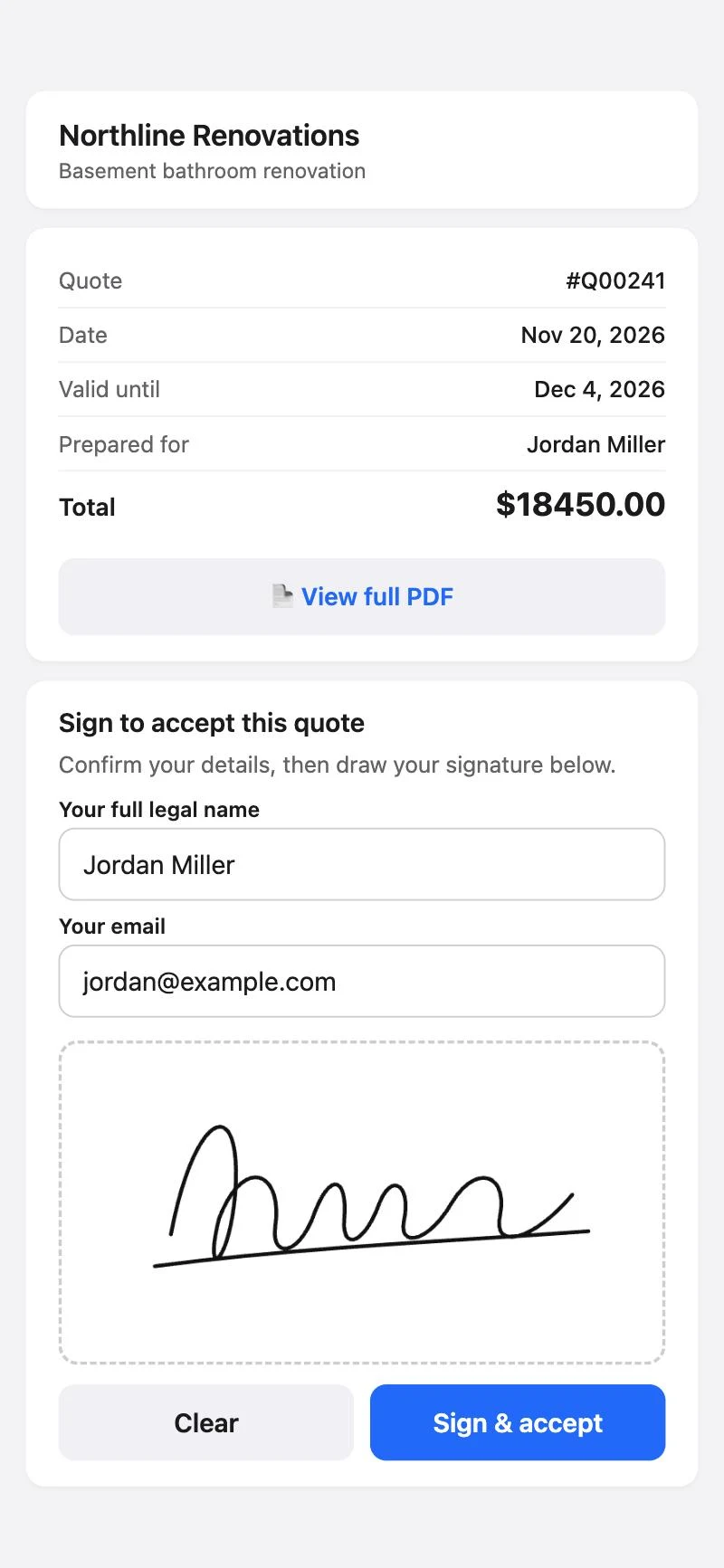
Send the quote as a PDF with your own logo, in one of 5 styles. The client signs by link on their phone, no account needed, or in person with you at the kitchen table. Both of you get the signed PDF by email.
- E-signature by link or in person
- Your logo and business details, no RenoJira branding
- Push notification on your phone the moment it's signed
- Payment stages on the quote: deposit, rough-in, completion
Signed quote? Invoice it, or start the job.
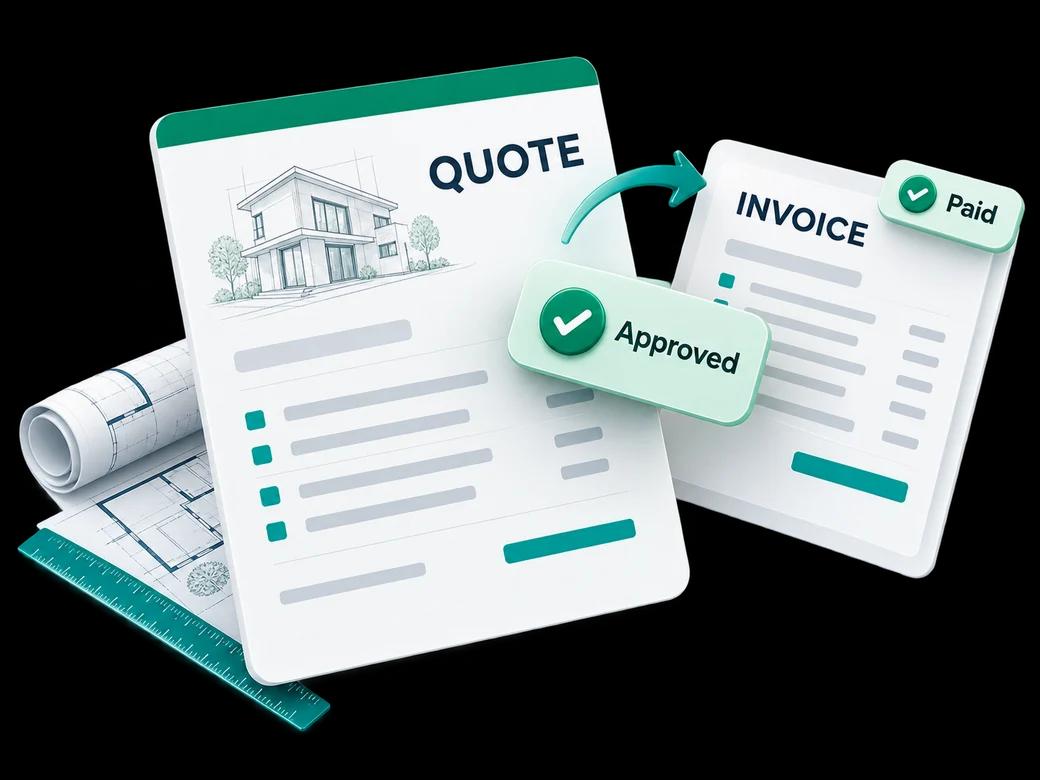
Create an invoice straight from the quote, with the same line items. Or turn it into a job, with the signed PDF filed on it, and track every cost, payment and change order from there.
- Create an invoice from a quote, no re-typing
- Convert a quote into a job (iPhone and Android), signed PDF attached
- Log change orders on the job when the scope grows
- Import your old quotes from PDF, image, Excel or Word
From walk-through to signed quote.
Describe the job
Type, talk, or add photos of the site. The more detail, the closer the first draft.
Fix and price it
Drag sections around, edit line items, use your item library. Your prices, your wording.
Send, sign, bill
Send the PDF, get it signed, then invoice it or turn it into a job.
RenoJira vs. a quote in Word or a spreadsheet
| Word / spreadsheet | RenoJira | |
|---|---|---|
| First draft | Start from an old file | AI drafts it from your description |
| On site | Back at the laptop tonight | On your phone, even offline |
| Signature | Print, sign, scan | E-signature by link or in person |
| After it's signed | Re-type it into an invoice | Invoice it from the quote |
| Price | — | Free |
Quotes & estimates FAQ
Is there a free estimate app for contractors?
Yes. RenoJira is free on iPhone, Android and the web, with no credit card. You can create quotes, send them as PDFs, get them e-signed, and turn them into jobs.
Can AI write a construction quote for me?
RenoJira's AI drafts the first version from your description: by text on any device, or by voice and photos in the iPhone and Android apps. It writes the sections, line items and prices, using your own past prices first, and learns how you like quotes laid out. You review and edit it before it goes to the client.
Can my client sign the quote online?
Yes. Send the client a link and they sign on their phone or computer, with no account or login. They type their name and draw their signature. Or have them sign in person on your device. You get a notification when it's signed, and both of you get the signed PDF by email.
Can I use my old quotes?
Yes. Import past quotes from PDF, image, Excel or Word (up to 20 imports a month), and use templates and your item library so you're not re-typing the same items. Imported quotes also teach the AI your prices.
What happens after the quote is accepted?
Create an invoice from the quote with the same line items, or convert it into a job (in the iPhone and Android apps) with the signed PDF filed on it. On the job you track expenses, client payments, change orders and real profit.
Does it work without signal?
Yes. On iPhone and Android you can create and edit quotes offline, and they sync when you're back online. The AI draft, imports and signing links need a connection.
Send your next quote today.
Describe the job, send a clean PDF, and get it signed. Free on iPhone, Android and the web.