Bill the job you quoted, without retyping it.
You already wrote the quote. RenoJira turns it into a clean invoice with your logo, payment terms and how to pay you. Share the PDF, mark it paid, and see what every client still owes on the job.


Free on iOS, Android & web · No credit card
Quick answer
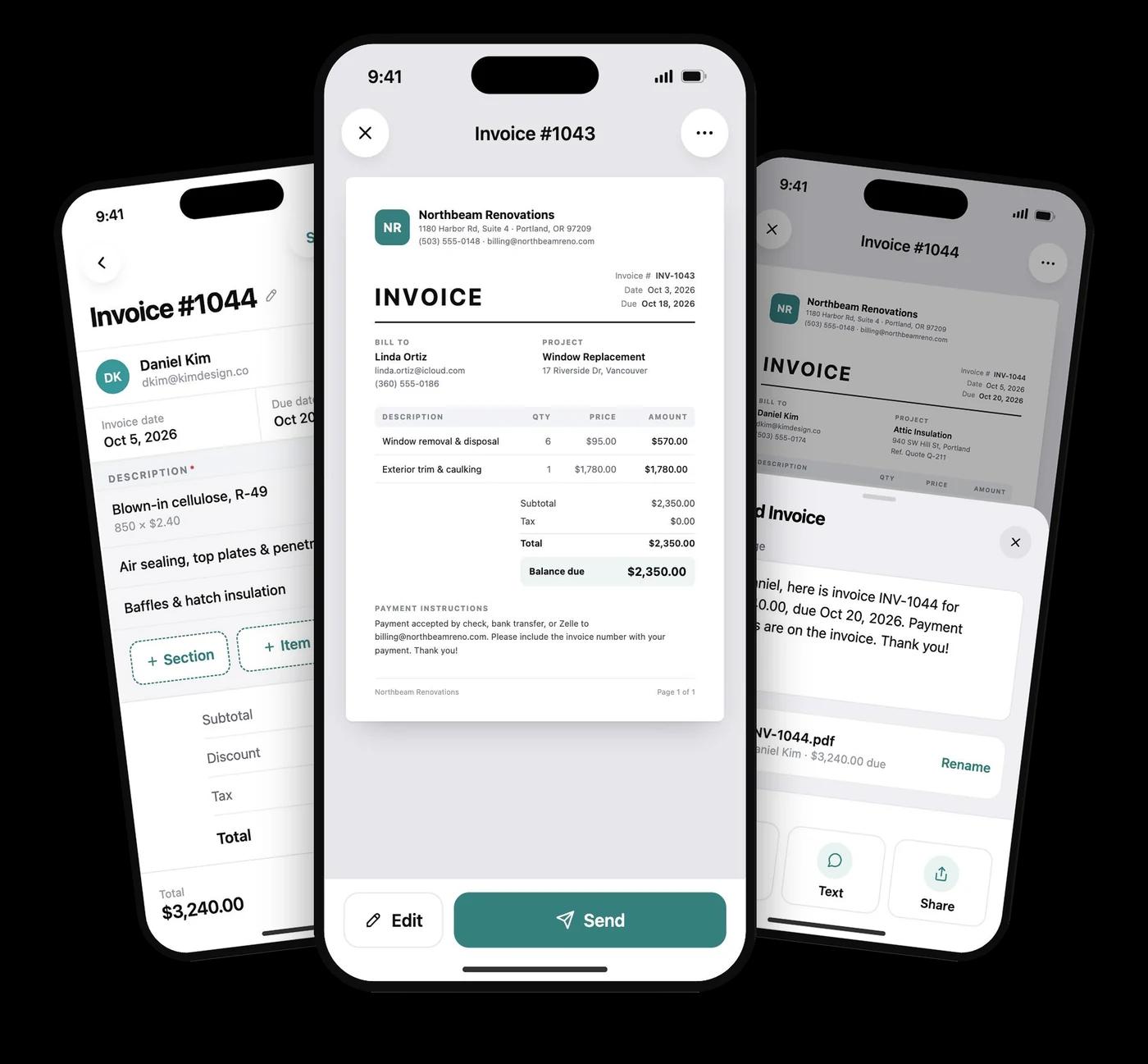
RenoJira is a free invoice app for contractors on iPhone, Android and the web. Create an invoice from your quote, a template or scratch, pick one of 6 PDF styles, and add your logo, payment terms (Net 7, 15, 30 or a custom date) and payment instructions. Share it as a PDF and mark it paid. Client payments recorded on the job show what's still owed.
Your invoice, your way, in a few taps.
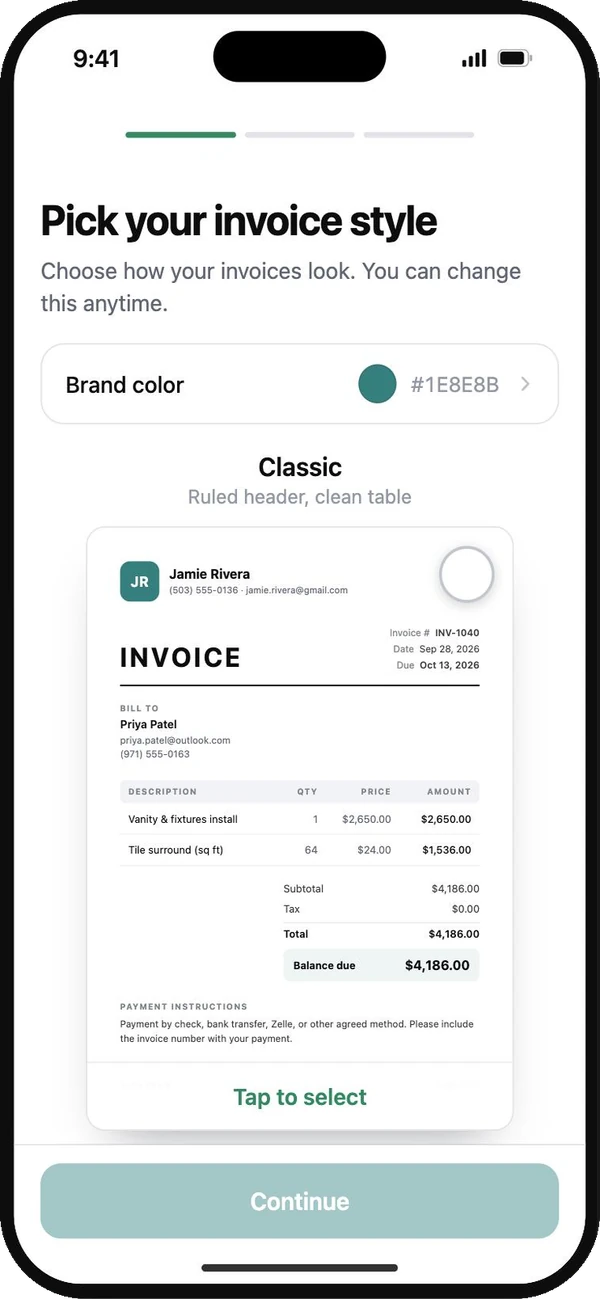
Set your style, brand colour, business details and how clients pay you once (a 4-step wizard in the iPhone and Android apps). Every invoice after that is ready to go.
- 6 PDF styles plus your brand colour and logo, no RenoJira branding
- Due on receipt, Net 7, 15, 30, or a custom due date
- Payment instructions on the invoice: e-transfer, cheque, whatever you take
- Tax per item, discounts, units, PO and licence numbers
Know who's paid, and who hasn't.
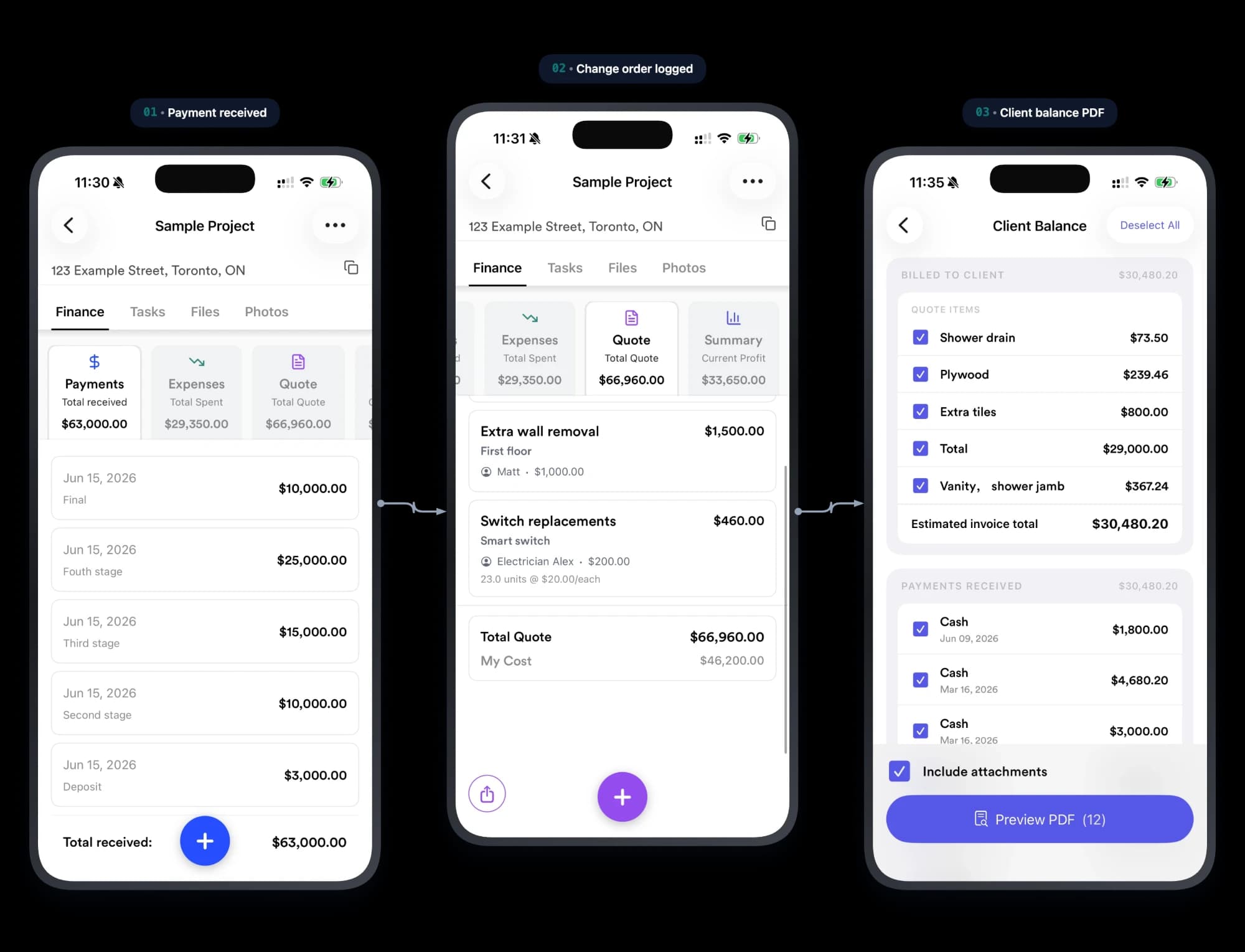
Record deposits and payments on the job as they come in. RenoJira keeps the client's balance, so "didn't I already pay for that?" has a one-tap answer.
- Record client payments and deposits on the job
- Log change orders on the job, so extras get billed
- Share a client balance PDF at any time
- See money in, money out and profit on the same job
From finished job to paid.
Start from the quote
Create the invoice from your quote, a template, or an old invoice you import.
Check and style it
Pick a style, check the items, tax and payment terms.
Send and mark paid
Share the PDF by text or email, then mark it paid when the money lands.
Invoices FAQ
Is there a free invoice app for contractors?
Yes. RenoJira is free on iPhone, Android and the web, with no credit card. Create invoices with your logo and payment terms, share them as PDFs, and track client payments on each job.
Can I turn a quote into an invoice?
Yes. Create an invoice from any quote on the web app or iPhone, and the line items come with it. You can also duplicate an old invoice or start from a template.
How do I keep track of what each client still owes?
Record each payment or deposit on the job. RenoJira keeps the running balance and can share a client balance PDF.
Can clients pay the invoice by card inside RenoJira?
No. RenoJira doesn't process payments. Put your payment instructions (e-transfer, cheque, bank details) on the invoice, and mark it paid when the money arrives.
Can I import my old invoices?
Yes. Import invoices from PDF, image, Excel or Word and RenoJira turns them into editable drafts. Imports are capped at 20 a month, shared with quote imports.
Does RenoJira sync invoices to QuickBooks?
Not yet. RenoJira sends a job's customer, payments and expenses to QuickBooks Online. Invoice sync isn't available yet.
Get paid for every job you finish.
Invoice from the job you quoted and see what every client still owes. Free on iPhone, Android and the web.