Set what someone can see on a project
Give a person a role — or feature-by-feature access — on a specific job.
Project access is set from the project itself, and applies only to that job.
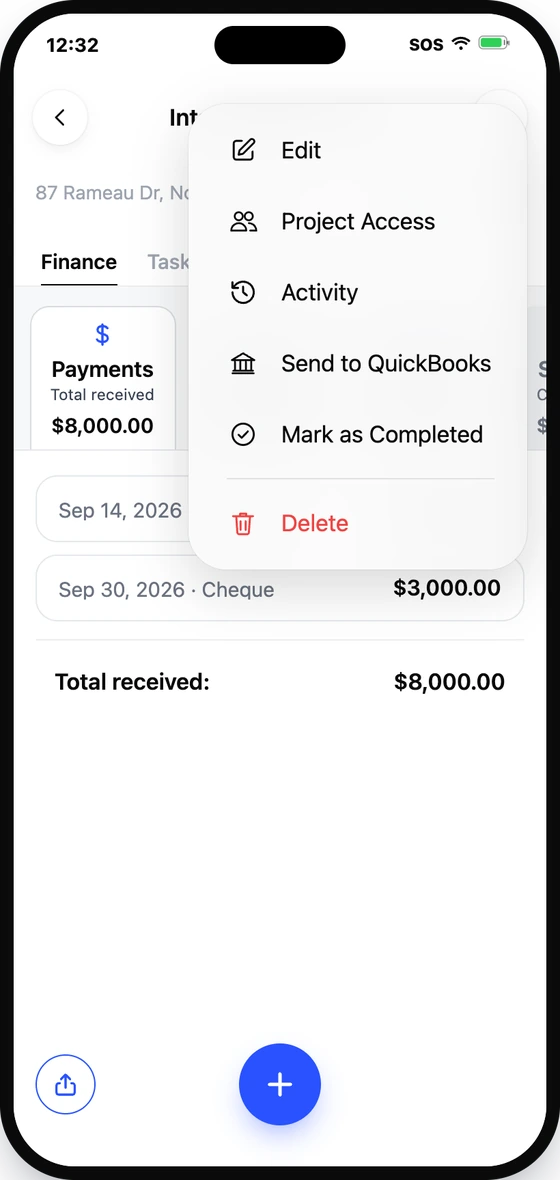
- 1Open the project, then open the menu and select Project Access.
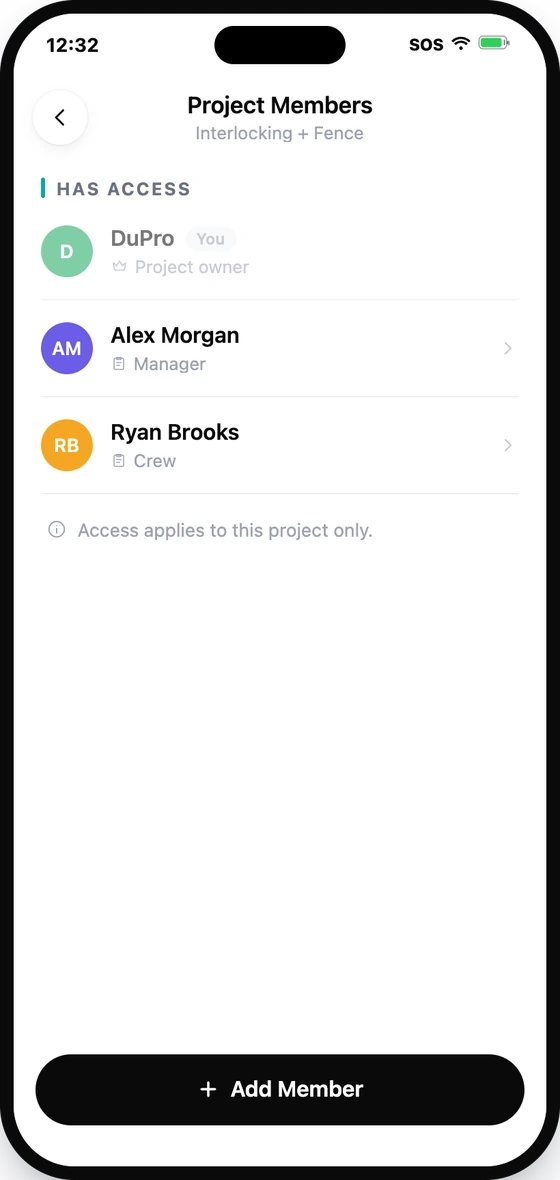
- 2The project's member list appears — tap the member.
- 3Choose a role: Full Access, Manager, Crew, or Custom.
- 4Save. They now see only what you granted — on this project.
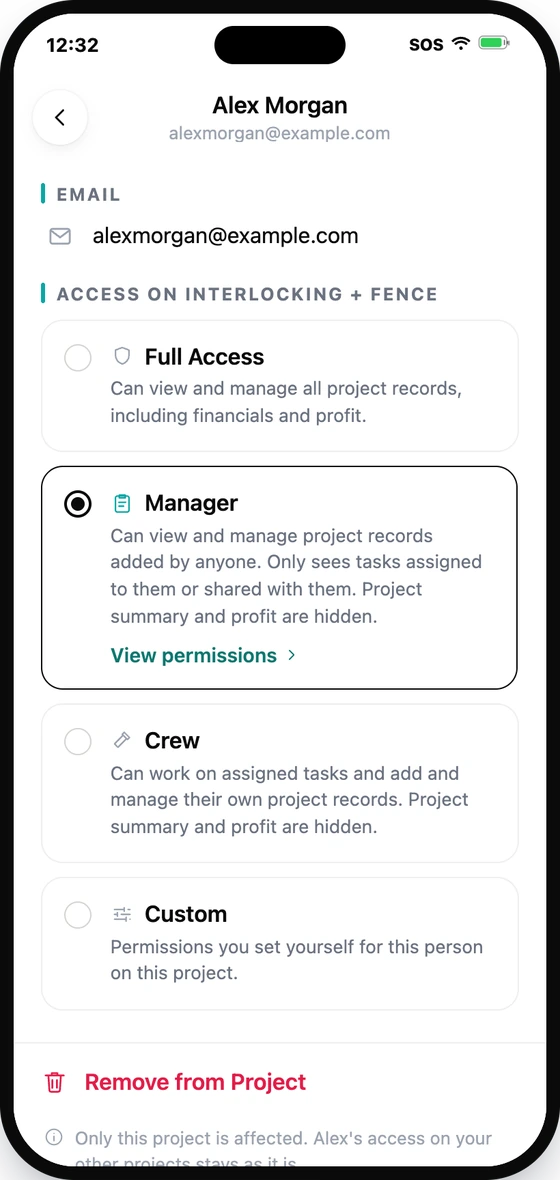
You control each project feature here — expenses, payments, change orders, tasks, photos, files — plus who can see the project summary. See Roles & permissions for the full breakdown.