Set team-wide permissions
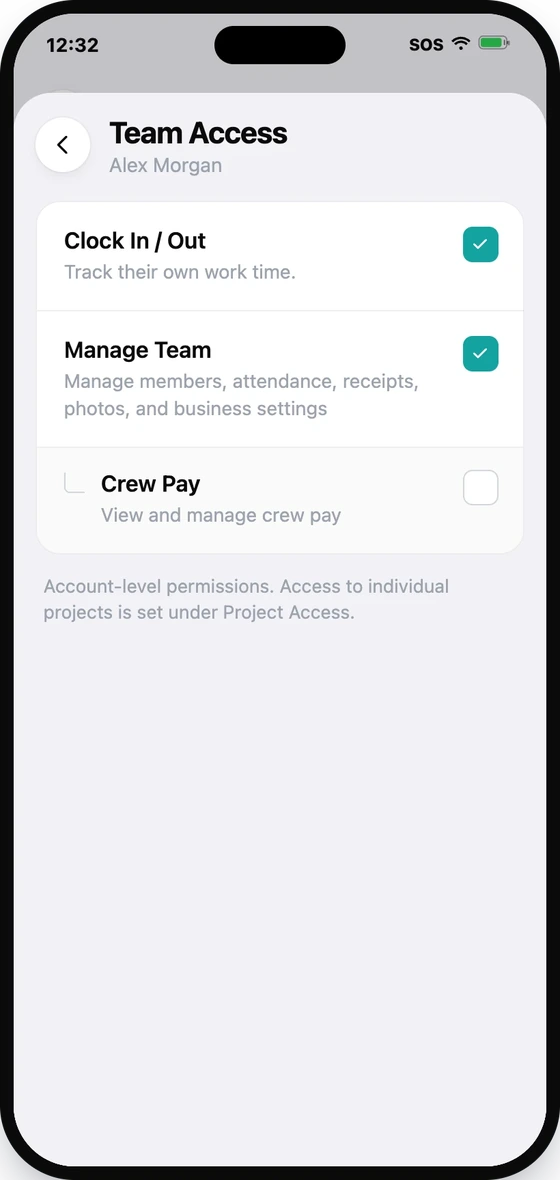
Clock in/out, Manage team, and Crew Pay — abilities that apply across your whole account.
Separate from project access, team permissions are account-wide — they aren't tied to one job. Set them from the Team tab.
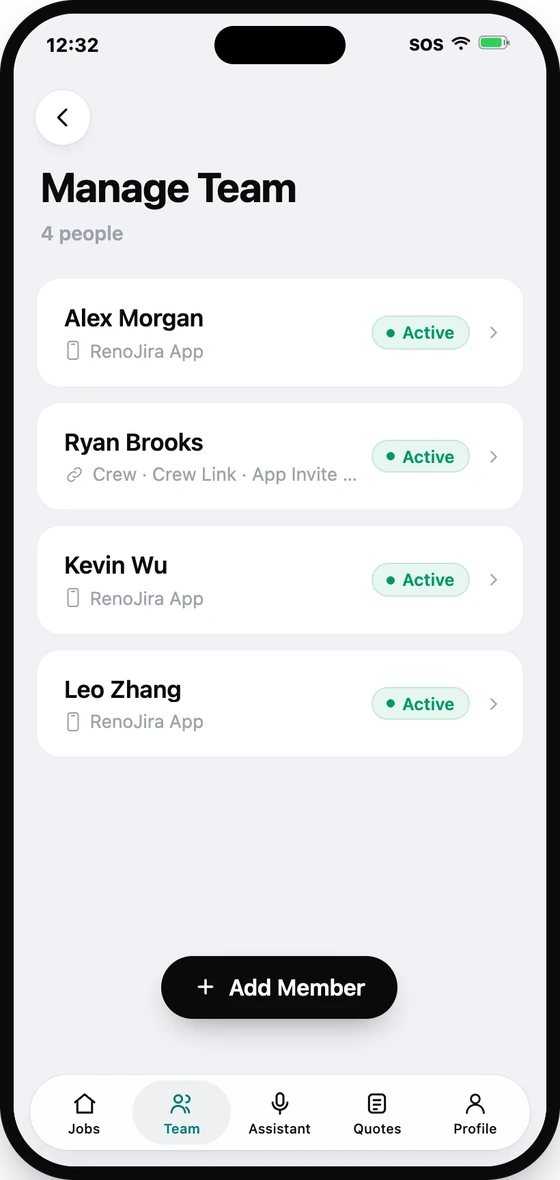
- 1Open the Team tab and tap Manage Team.
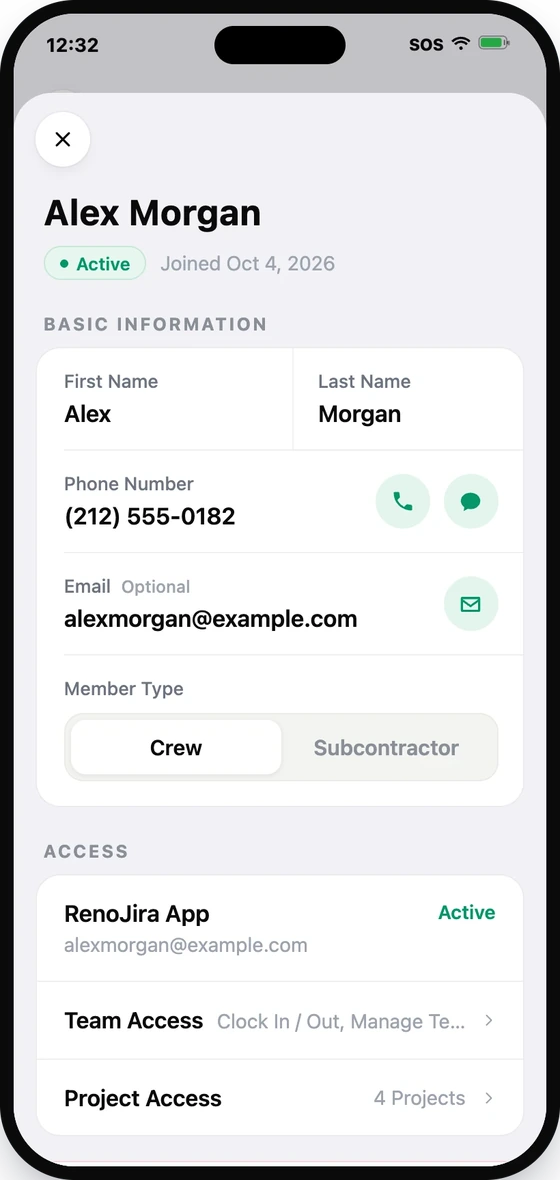
- 2Tap the member to open their detail.
- 3Open Team Access and toggle Clock In / Out, Manage Team, and Crew Pay.
- 4Save.
Crew Pay requires Manage Team — someone who can run Crew Pay can view and record pay across the crew.