Crew Receipts
How Construction Companies Capture Receipts in the Field (and Keep Crew Spending on Budget)
The tool is the easy part. The hard part is getting five people to do the same thing every time. This guide covers both.
By the RenoJira team — November 17, 2026 · 8 min read
Quick answer
Construction companies that don't lose field receipts make the crew take a photo of the receipt at the counter, before it goes in a pocket, and send it with two pieces of information: which job it was for and who paid. Someone (often the owner) reviews each receipt, puts it on the right job, and pays back anyone who used their own money. RenoJira does this for free: your crew send receipt photos from a personal link in their phone's browser, with no app or account, and you turn each one into a job expense.
Key takeaways
- →Photo at the counter, not at the end of the week.
- →Every receipt answers which job and who paid.
- →Review weekly so you see a job running hot while you can still act.
- →A short crew policy beats software rules. Copy ours below.
Why field receipts go missing
Field receipts go missing because the person who has the receipt isn't the person who records it. When your crew buys something, the receipt has to travel from their pocket to your books. Plenty never make it.
They end up in the truck's door pocket, in a jacket that went through the wash, in a group chat photo with no job name, or in someone's head: “I grabbed some fittings Tuesday, about eighty bucks.” Every one of those is a cost that never hits the job. Your profit looks better than it is, and you price the next job off wrong numbers. We dig into that slow leak in The Hidden Costs Most Contractors Never Track.
There's a second problem nobody talks about: who paid? Did Dave use his own debit card, or was it on the supplier account? Get that wrong and you either forget to pay Dave back (he notices), or you pay him for something already on your supplier statement. A good process answers that on the spot.
Four ways companies handle crew spending
Most small construction companies use one or more of four setups. Each changes what the receipt has to tell you.
| Setup | How it works | What the receipt has to tell you | Watch out for |
|---|---|---|---|
| Crew pays, you reimburse | Worker pays with their own money, you pay them back | Job, amount, that they paid | Forgetting to pay them back, or paying twice |
| Company card | Lead hand carries a company credit or debit card | Job, what was bought | Card statement shows the store, not the job |
| Supplier charge account | Crew buy “on account” at the supply house | Job, what was bought | Entering it again when the monthly statement comes |
| Petty cash | Cash in an envelope or the truck | Job, amount, change left | Cash with no receipt at all |
For crew spending without cash, a charge account at the suppliers you use most is usually simplest: nobody fronts money, nobody carries an envelope. The receipt still tells you which job it belongs to. RenoJira doesn't issue cards or run accounts; it handles the receipt and job side, whatever setup you use.
A field receipt process that works for a small crew
Five steps, done the same way every time:
- Photo at the counter. A clear photo of the whole receipt: store, date, items, total.
- Say who paid. “I paid” (reimburse me) or “company paid” (card or account).
- Say what job. A note like “Miller bath, shower valve” is enough.
- Owner reviews within a week. Check it, put it on the job, and set aside anything that looks off.
- Pay back on a schedule. Same day every week or pay period, not “when I get to it”.
If a step needs a login, a spreadsheet or a trip to the office, it won't happen.
The crew receipt policy (copy and send it)
Short rules beat a binder nobody reads. Text this to your crew and fill in the blanks:
Receipts, starting Monday:
- Every purchase for a job = photo of the receipt before you leave the store.
- Send it with the link I texted you. Answer “Did you pay this bill?” honestly.
- Add a note: which job, what it's for.
- Anything over $___, call me before you buy.
- No receipt = I can't pay you back. Lost one? Tell me the same day.
- Reimbursements go out every ______.
Rule 4 is your budget control. A phone call before a big purchase beats any software rule.
How field receipt capture works in RenoJira
Your crew send receipts from a Crew Link, you review them in Team, and each one becomes an expense on the job you pick.
On the crew side: Crew Link, no app needed
You text each person their own Crew Link by SMS or WhatsApp. It opens in Safari or Chrome: no download, no account. To send a receipt:
- Open the Crew Link and tap Upload a receipt.
- Take the photo (or pick one), then Retake or Crop if needed.
- Answer Did you pay this bill?: Yes, I paid or No.
- Add an optional note, like the job and what it was for, and tap Send.
Each receipt shows a status: pending, Uploaded, or Failed with a Retry button. With no signal, the receipt is held on their phone and sent when they're back online. The same link is what they use to clock in and out. Step-by-step for your crew: Use your Crew Link.
On your side: review and convert
Crew receipts land in Team → Receipts, split into New and Processed. For each new one you see the photo, who uploaded it, when, the crew member's note, and Paid by: the crew member's name if they paid, or Company if they didn't.
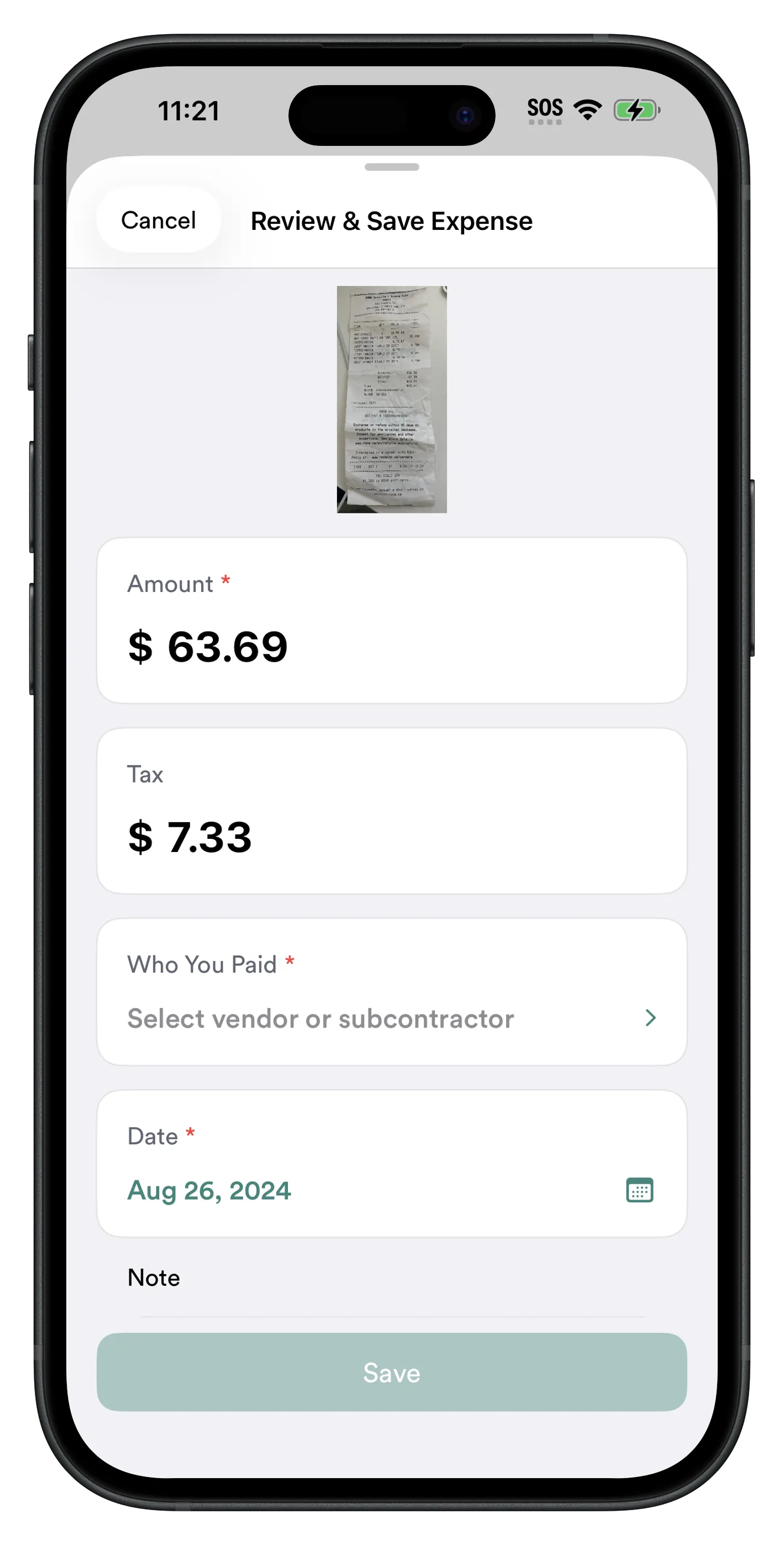
Tap Convert. RenoJira reads the photo and fills in the expense form. Check it, then pick the project (only ones you can add expenses to). Save, and the receipt moves to Processed, marked “Added to” that project, with the photo attached.
Until you convert it, a crew receipt is an upload for review, not an expense. Nothing hits a job's numbers by accident.
Other ways receipts come in
- ·App users. A lead hand with the RenoJira app and Project Access adds expenses with the receipt directly on the project (roles, app vs Crew Link).
- ·Your own receipts. Scan a receipt on the project and it's filled in for you.
- ·Online orders. Forward receipt emails to your private RenoJira address; each waits until you pick the project (Email receipts).
- ·Subs who front costs. Mark the expense Paid by Subcontractor so RenoJira tracks what you owe them.
Keeping crew spending on budget
You keep field spending on budget by seeing it on the job the same week, not by adding more approvals.
- ·Check spent vs quoted. Each project's Finance page shows Total spent, Total quoted and Current profit. Convert crew receipts weekly and you see a job running hot while you can still talk to the crew or write a change order.
- ·Set a call-first amount. RenoJira has no spending limits, so this is a human rule. It works.
- ·Keep money screens private. Crew Link users only clock in and send receipts; in the app, the Crew role doesn't see project profit.
- ·Bill it back. If the client asked for the extra, mark the expense Bill to Client.
- ·Send it to your books. Push expenses to QuickBooks Online (how it works).
The full setup behind this: Job Costing for Contractors.
Worked example: one week of supply runs
Bathroom remodel, two crew members. Three purchases in one week:
| Day | Who | What | Amount | Who paid |
|---|---|---|---|---|
| Mon | Dave | Shower valve fittings | $86.40 | Dave (own debit card) |
| Wed | Luis | Tile adhesive and grout | $212.00 | Company (supplier account) |
| Fri | Dave | Blades and drill bits | $38.50 | Dave (cash) |
| Total job cost | $336.90 | |||
Without a process: Dave's receipts are in the truck or gone. You see the $212 on next month's supplier statement. The job shows $212 in costs instead of $336.90, so it looks $124.90 more profitable than it is. Two weeks later Dave asks about “the fittings” and you pay him $90 from memory.
With the process: all three are in Team → Receipts by Friday. You convert them to the bathroom job: $336.90, with photos. Paid by shows Dave on two, so you owe him exactly $124.90. Luis's shows Company: nothing to reimburse, and don't enter it again when the statement arrives.
$124.90 won't sink you. But that's one week on one job. Multiply it out and it's how good jobs end up losing money.
What RenoJira doesn't do
Honest list, so you know what you're getting:
- ·No company cards and no spending limits on purchases.
- ·No multi-step approval chain. You (or someone you give access to) review crew receipts and turn them into expenses. For formal purchase approvals, larger platforms fit better; see our roundup of construction management apps.
- ·No reimbursement payouts. RenoJira shows who paid; you pay your crew back the way you already do.
- ·No automatic filing of crew receipts. You pick the project when you convert, so someone checks every one.
Field receipts FAQ
How do construction companies capture receipts in the field?
The crew photograph each receipt at the point of purchase and send it with the job name and who paid. Someone reviews it, records it on the right job, and reimburses anyone who used their own money. With RenoJira, crew upload receipts from a Crew Link and you convert each one into a job expense.
What is the best app for construction workers to submit receipts?
The one they'll actually use: no download, no login, one question about who paid. RenoJira's Crew Link opens in the phone's browser and is free. Workers who need to add expenses to projects can use the RenoJira app.
Which tool automates construction expense tracking and approvals?
For small contractors, RenoJira automates the capture: crew send receipt photos, RenoJira reads them into the expense form, and costs roll up per job. The review is a simple step where you check each receipt and save it to a project. It doesn't have multi-step approval chains or spending limits; mid-size firms that need those usually look at card and approval platforms.
How do I handle crew spending without cash?
Use charge accounts at your main suppliers or a company card for your lead hand, so nobody fronts their own money. You still need the receipt photo to know which job it's for. In RenoJira the crew answer "No" to "Did you pay this bill?", so there's nothing to reimburse.
Does my crew need an app to send receipts?
No. A Crew Link opens in Safari or Chrome with nothing to install and no account. Each person has their own link, so receipts are recorded against the right person.
What if there's no signal on the job site?
Crew Link uploads and clock-ins are held on the phone and sent when it's back online; a failed one can be retried instead of uploaded twice. The RenoJira iPhone and Android apps also keep working with no signal and sync when you're back online; only the web app in a browser needs a connection.
Does "Uploaded" mean the crew member was reimbursed?
No. Uploaded means the receipt was sent, and converting it records the cost on a job. Neither means the person has been paid back. Pay reimbursements separately and tell your crew when it's done.
How long should I keep construction receipts?
In the US, the IRS generally says to keep records for 3 years from filing, longer in some cases. In Canada, the CRA generally requires 6 years from the end of the tax year. Keep originals until your accountant says a photo is enough.
Sources: IRS, How long should I keep records?; Canada Revenue Agency, Keeping records. RenoJira features as described in the RenoJira Help Center.
Get every crew receipt onto the right job
Photo at the counter. Who paid. On a job by Friday.
Free on iPhone and Android. No credit card, no subscription. Then send your first Crew Link and text your crew the policy above.


Related articles
How Contractors Track Expenses Per Job
Log every cost against the right job in real time
Best Free Construction Expense Tracker
Which free tool to pick
Contractor Bookkeeping: How I Stopped Losing Receipts
From receipts to clean books
Contractor Time and Expense Tracking App
Crew hours and costs on every job